
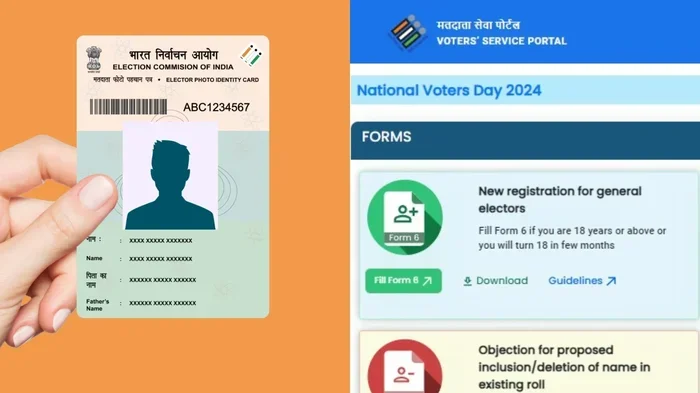
Fixing errors on your voter card is easier than you think. If you need voter ID name correction online, this guide walks you through every step. We cover the forms you need, the documents to gather, and how to track your application. You will learn how to avoid common mistakes and get your corrected card fast.
Your voter card is one of your most important identity documents. It proves who you are during elections. But what happens if there is a typo in your name? Maybe your name is spelled wrong. Maybe you got married and changed your surname. Maybe you just want to fix a small error. The good news is that you can fix this. You do not need to panic. voter ID name correction online is a real option in many places. You can fix these mistakes without too much stress.
Many people ignore small errors on their voter cards. They think it does not matter. But a wrong name can cause problems later. You might face issues while voting. You might face trouble with other ID checks. It is better to fix it early. This guide will help you understand the process. We will keep it simple. You will learn what forms to use. You will learn which documents you need. You will also learn how to track your application. Let us get started.
Key Takeaways
- Simple Process: You can fix name errors on your voter card through an online portal or offline form.
- Correct Form: Use Form 8 to apply for changes or corrections to your voter ID details.
- Document Proof: You must submit valid identity and address proofs that match your new name.
- Online Tracking: Most states allow you to track your application status online after submission.
- Local Authority: Your local Electoral Office finalizes the verification and issues the updated card.
- Avoid Errors: Double-check spelling and supporting documents to prevent rejection or delays.
- Free Service: The correction process is free, so never pay agents for basic form submissions.
📑 Table of Contents
- Understanding Voter ID Name Correction Online
- The Forms You Need for Correction
- Documents Required for Voter ID Name Correction Online
- Step by Step Guide to Apply for Voter ID Name Correction Online
- Tracking Your Application Status
- Common Mistakes to Avoid
- Expert Insights and Quick Tips
- Comparison Table: Online vs Offline Correction
- Final Thoughts on Voter ID Name Correction Online
Understanding Voter ID Name Correction Online
First, let us talk about what this process really means. Your voter ID card holds your personal details. These details include your name, address, and photo. If any of these are wrong, you need to correct them. When we say voter ID name correction online, we mean using the internet to start this fix. You do not always have to visit an office. Many election commissions now offer web portals. These portals let you fill out forms from home.
This is great for busy people. You can sit in your living room and apply. You can also download forms if you prefer paper. The goal is the same. You want your voter card to match your real identity. A correct card makes voting smooth. It also helps when you use the card as proof of identity elsewhere. So, fixing the name is a smart move.
Why You Might Need a Name Correction
There are many reasons why people fix their names. Here are some common ones:
- Spelling Mistakes: Sometimes the officer made a typo during enrollment. Your name might be missing a letter.
- Marriage or Divorce: Women often change their surnames after marriage. Some people change names after divorce too.
- Legal Name Change: You might have changed your name legally for personal reasons.
- Father or Mother Name Updates: Sometimes the parent name field needs correction along with your name.
- Symbol or Photo Issues: While not a name change, these often happen alongside name corrections.
No matter the reason, the process is similar. You need to prove your new or correct name. You also need to show that you are the same person. This is where documents come in.
The Forms You Need for Correction
Every election system has specific forms. In many places, you use a specific correction form. For example, Form 8 is common for corrections. This form lets you update details in your voter roll entry. You fill it out carefully. One wrong box can delay your application. So, take your time. Read every line before you submit.
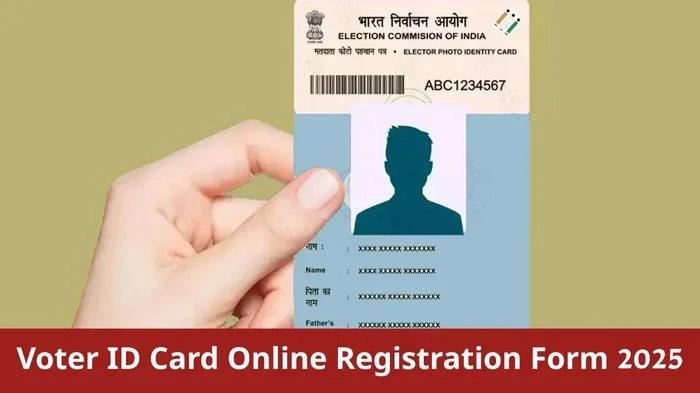
Visual guide about voter ID card online
Image source: sarkarinaukariofficial.com
If you choose voter ID name correction online, you will find this form on the official website. You can type your details directly into the web form. This reduces handwriting errors. It also makes a clean digital copy. If you go offline, you can download the form. Then you fill it by hand. Both ways work. But online is often faster and cleaner.
How to Fill Out the Correction Form
Filling the form is simple if you know what to write. Here is a quick step-by-step:
- Start with Basics: Write your current voter ID number. This helps the office find your record.
- Select Correction Type: Choose the option for name correction. Some forms have a dropdown for this.
- Enter Correct Name: Write your full name exactly as you want it to appear. Use capital letters if needed.
- Add Supporting Details: Include your age, gender, and address. Make sure these match your proofs.
- Sign the Form: Your signature is important. It should match the signature on your ID proofs.
After filling the form, check it twice. Look for spelling errors. Make sure your voter ID number is right. A small mistake here can send your application to the wrong office. That causes delays. So, be careful.
Documents Required for Voter ID Name Correction Online
You cannot just say your name is wrong. You must prove the correct name. This is why documents matter. The election office needs proof. They compare your new name with your old records. They also check that you are a real voter. So, keep your documents ready before you apply.
For voter ID name correction online, you will usually upload scanned copies. Make sure the scans are clear. Blurry images get rejected. Use good light when you scan. Save the files in a common format like PDF or JPG. Keep the file size small if the portal has a limit.
List of Acceptable Identity Proofs
Here are some documents that usually work as proof:
- Passport: This is a strong proof of identity and name.
- Aadhaar Card or National ID: Many systems accept this as a linked proof.
- Driver License: A valid license shows your current legal name.
- Birth Certificate: This helps if you are fixing a name from childhood records.
- Marriage Certificate: Use this if you are changing your surname after marriage.
- Court Order: If you changed your name legally, show the court document.
You also need address proof in many cases. This can be a utility bill or bank statement. The goal is to show you live where you are registered. If you move, you might need to update your address too. But for a simple name fix, identity proof is the main thing.
Tips for Scanning and Uploading Documents
Uploading documents can be tricky if you are new to it. Here are some quick tips:
- Use a Scanner or Good App: Phone apps work well if they are clear.
- Check Lighting: Avoid shadows on the paper.
- Crop the Edges: Show only the document. Do not include extra background.
- Name the Files Clearly: Use names like “Passport_Proof.pdf” so you know what is what.
- Keep Copies for Yourself: Save a copy of everything you upload. You might need it later.
Good uploads make the officer’s job easy. When the officer can see your proof clearly, they approve faster. So, spend a few extra minutes on this step.
Step by Step Guide to Apply for Voter ID Name Correction Online
Now let us walk through the actual process. This is the core of voter ID name correction online. Follow these steps in order. Do not skip any step. Each step builds on the last one.
Step 1: Visit the Official Election Portal
Go to your state or national election commission website. Make sure it is the official site. Look for a secure URL. Fake sites can steal your data. The official site usually has a section for voter services. You might see options like “Correction,” “Update,” or “Form 8.” Click on the right option.
Step 2: Log In or Register
Many portals ask you to log in. You might need your voter ID number. You might also need your date of birth. Some sites let you register with a mobile number. They send an OTP to verify you. This keeps your data safe. If you do not have an account, create one. It takes only a few minutes.
Step 3: Select the Correction Service
Once you are logged in, look for the correction service. Choose the name correction option. The system may ask why you are correcting the name. Pick the reason that fits best. This helps the office understand your case. It does not change the process much, but it is good to be accurate.
Step 4: Fill in the Details
Now enter your corrected name. Type it carefully. Check the spelling. Enter your voter ID number again if asked. Add your address and other details. Make sure everything matches your documents. If your document says “Mohammed” and you type “Mohamed,” that can cause a problem. Consistency is key.
Step 5: Upload Documents
Upload the scanned proofs we talked about earlier. Attach your identity proof. Attach any legal name change paper if you have one. Upload your address proof if needed. The portal will ask you to confirm the uploads. Check that each file is attached. Then click submit or save.
Step 6: Submit and Note the Reference Number
After you submit, the system gives you a reference number. This is very important. Write it down. Take a screenshot. This number helps you track your application. Without it, you might lose track of your request. So, do not ignore this step.
Tracking Your Application Status
Once you apply, you want to know what happens next. Will it be approved? Is there a problem? You can find out by tracking your application. Many portals let you check voter ID name correction online status. This is a big benefit of applying online. You do not need to call or visit to know the status.
To track, go back to the same portal. Find the “Track Application” section. Enter your reference number. You might also need your voter ID or mobile number. The system shows the current stage. It might say “Under Verification” or “Approved.” If there is an issue, it may ask you to fix something.
What to Do If There Is a Delay
Sometimes applications take time. This is normal. Election offices handle many requests. But if it takes too long, do something. Here is what you can do:
- Check Your Reference Number: Make sure you typed it correctly when tracking.
- Verify Documents: Ensure your uploads were clear and complete.
- Contact the Local Office: If the portal shows no update for weeks, call or visit the local election office.
- Keep Your Reference Number Safe: You will need it for any follow-up.
Patience helps. But staying proactive helps more. If the office needs more proof, they will tell you. Respond quickly if they ask for anything. This keeps your application moving.
Common Mistakes to Avoid
Many people make small mistakes during this process. These mistakes cause delays. Some even cause rejection. You can avoid them easily. Here are the most common ones:
- Wrong Voter ID Number: This sends your form to the wrong record. Always double-check this number.
- Unclear Document Scans: Blurry photos make it hard to verify your name. Use clear scans.
- Mismatched Names: Your form name must match your document name. Do not use nicknames if your ID uses a full name.
- Missing Signature: Some forms need a signature. If you skip it, the form may be invalid.
- Ignoring the Reference Number: Losing this number makes tracking hard. Save it right away.
- Using Fake Websites: Only use official election portals. Fake sites can steal your personal data.
Avoid these traps and your process will be smoother. A little care goes a long way. You save time and effort when you get it right the first time.
Expert Insights and Quick Tips
We asked a few election officials and experienced voters about this process. Here is what they suggest. These tips can help you move faster. They also help you avoid headaches.
Expert Insight: Keep Your Data Consistent
One expert note is simple. Keep your name consistent across all IDs. If your passport says one thing and your voter card says another, fix both. This makes life easier. When all your IDs match, you face fewer problems everywhere. So, think of this as a full identity cleanup.
Quick Tip: Use a Recent Photo
If your portal asks for a new photo, use a recent one. Make sure your face is clear. Use a plain background. Do not wear sunglasses. A good photo helps the officer confirm your identity. It also makes your new card look better.
Quick Tip: Apply Well Before Elections
Do not wait until the last minute. Apply early. Election periods are busy. Offices get flooded with requests. If you apply early, your correction is more likely to finish in time. This way, you can vote with your corrected card.
Comparison Table: Online vs Offline Correction
Some people still prefer offline methods. Others love online convenience. Here is a quick comparison to help you choose.
| Feature | Online Correction | Offline Correction |
|---|---|---|
| Speed | Faster if documents are clear | Slower due to physical travel |
| Convenience | Apply from home | Visit the election office |
| Document Upload | Scan and upload | Submit physical copies |
| Tracking | Easy online tracking | May require visits or calls |
| Error Risk | Lower if typed carefully | Handwriting errors possible |
| Internet Need | Yes | No |
Both ways work. Choose what fits your situation. If you have good internet and clear scans, online is great. If you prefer paper, offline is fine too. The end result is the same: a corrected voter card.
Final Thoughts on Voter ID Name Correction Online
Fixing your voter card name is not hard. You just need the right form and the right documents. voter ID name correction online makes this even easier. You can do most of the work from home. You can track your application without phone calls. You can avoid long queues at the office.
Remember to be careful with spelling. Remember to keep your documents clear. Remember to save your reference number. These small steps make a big difference. If you follow this guide, you will get through the process smoothly. Your voter card will then match your real identity. That gives you peace of mind. It also makes voting simpler.
So, do not wait. Check your voter card today. If you see a name error, fix it. Use this guide. Stay calm. Stay organized. You will have your corrected card before you know it.
Frequently Asked Questions
Can I correct my voter ID name online for free?
Yes, the correction process is usually free. You only need to fill out the correct form and upload your documents. Never pay agents for a simple name correction. Use the official portal to keep it free and safe.
What form do I use for voter ID name correction?
In many systems, you use Form 8 to request corrections. This form lets you update your name and other details. Check your local election website to confirm the exact form name for your region.
How long does voter ID name correction online take?
It depends on your local office and the completeness of your documents. Many applications finish within a few weeks. If you upload clear documents and fill the form correctly, it moves faster.
What if my documents show a different name than my current voter ID?
You must submit proof that supports the new name. Use a passport, marriage certificate, or court order if needed. The office compares your proof with your application. Make sure the names match across your forms and proofs.
Can I track my voter ID name correction application status online?
Yes, most official portals let you track your application. You usually need your reference number or voter ID. Tracking helps you see if your request is under verification or already approved.
Do I need to visit the election office after applying online?
In many cases, no. If your online application is complete and clear, the office processes it remotely. You may only visit if they ask for more proof or if there is a special issue with your case.