
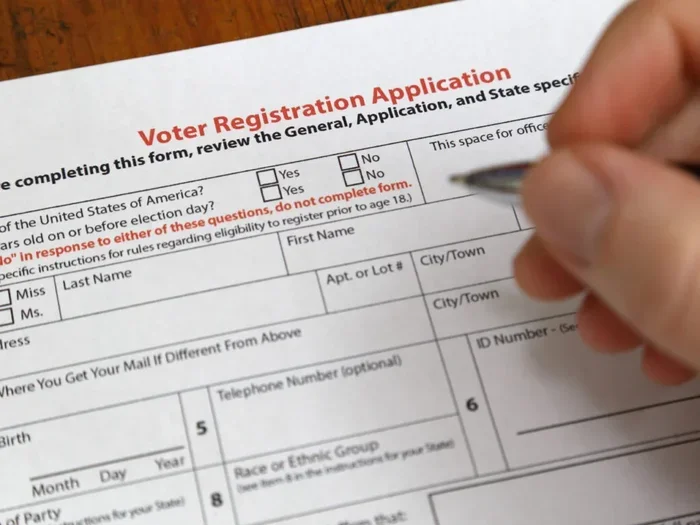
Voter ID Form 8 online apply makes voter registration quick and stress-free. You can update your name, address, or other details from your phone or computer. The process takes only a few minutes if you follow the right steps. This guide shows you exactly how to fill out the form, upload documents, and submit it without errors. You will also learn common mistakes to avoid and tips to speed up approval.
Registering to vote should feel simple. Yet many people still struggle with paperwork, long queues, and confusing instructions. The good news is that technology has changed the game. You can now handle most voter updates from your living room. If you need to change your name, move to a new address, or fix a spelling mistake, voter ID Form 8 online apply is the right path. This form helps you update your existing voter record without starting from scratch.
Many first-time users feel unsure about where to click, what to upload, or how to avoid rejection. That is completely normal. The process looks technical at first, but it becomes easy once you understand the flow. This guide breaks everything into small steps. You will learn how to prepare your documents, fill the form correctly, and submit it with confidence. We will also share practical tips, common mistakes, and quick answers to frequent questions.
By the end of this article, you will know exactly how to complete voter ID Form 8 online apply without stress. You will also understand how to track your application and what to do if something goes wrong. Let us dive in and make voter registration smooth, fast, and error-free.
Key Takeaways
- Simple online process: You can complete voter ID Form 8 online apply from home without visiting an office.
- Update your details: Use this form to change your name, address, or other personal information on the voter roll.
- Documents matter: Keep clear scanned copies of ID proof, address proof, and a recent photo ready before you start.
- Double-check entries: Small errors in spelling or numbers can delay approval, so review every field carefully.
- Track your status: After submission, you can check the application status online using your reference number.
- Avoid common mistakes: Upload the right file format, use a stable connection, and submit before the deadline to prevent rejection.
📑 Table of Contents
- Why Voter ID Form 8 Online Apply Matters for Every Voter
- Documents You Need Before You Start Voter ID Form 8 Online Apply
- Step-by-Step Guide to Complete Voter ID Form 8 Online Apply
- How to Track Your Application After Submission
- Common Mistakes to Avoid During Voter ID Form 8 Online Apply
- Tips for a Smooth and Fast Approval
- Final Thoughts on Voter ID Form 8 Online Apply
Why Voter ID Form 8 Online Apply Matters for Every Voter
Voting is one of the most important civic duties. Your voter record must stay accurate so you can cast your ballot without issues. If your name, address, or other details change, your old record may no longer match your current situation. That can create delays at the polling station or even cause disqualification in some cases. Updating your record on time keeps everything clean and ready.
The online system was created to reduce paperwork and save time. Instead of standing in long lines, you can complete the update from a phone, tablet, or computer. The voter registration update process also lowers the chance of manual errors. When you type your details carefully and upload clear documents, the reviewing team can process your request faster. This is especially helpful for people who live in busy cities or far from local election offices.
When You Should Use This Form
You do not need this form for every situation. It is mainly for updating an existing voter record. Use it when you have already registered before and now need to change something. Common reasons include:
- You moved to a new home within the same city or district.
- You changed your name after marriage, legal correction, or another valid reason.
- Your old address or spelling error needs correction.
- You want to update your photo or other personal details on file.
If you have never registered before, you may need a different form for new enrollment. This guide focuses on updating an existing record through voter ID Form 8 online apply. Always confirm the exact form type for your region before you begin, because local rules can vary slightly.
Benefits of Applying Online
Online application offers several clear advantages. First, it saves time. You can start the process early in the morning or late at night, depending on your schedule. Second, it reduces travel costs. You do not need to commute to an office or wait in a crowded hall. Third, it creates a digital record. You can keep a copy of your submission and reference number for future use.
Another benefit is better accuracy. When you fill the form on a screen, you can pause, review, and correct mistakes before submitting. That is harder with paper forms. Online systems also often include basic validation, which helps catch missing fields or formatting issues. Of course, the system still depends on clear documents and honest information. But overall, the digital route is faster and more convenient for most users.
Quick Tip: Before you start, create a folder on your device with all required files. Name them clearly, such as ID_proof.jpg, address_proof.pdf, and passport_photo.png. This small step saves time and prevents confusion during upload.
Documents You Need Before You Start Voter ID Form 8 Online Apply
A smooth submission starts with good preparation. The most common reason for delay is missing or unclear documents. Before you open the application page, gather everything you need. This keeps the process moving and reduces the chance of rejection. The exact list can vary by location, but most requests require a few standard items.
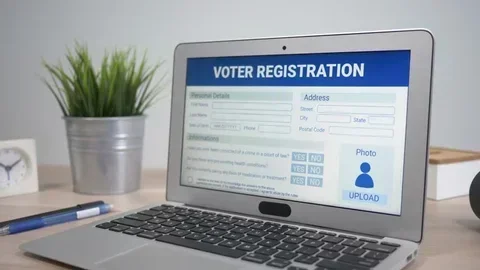
Visual guide about voter registration form online
Image source: shutterstock.com
Identity and Address Proof
You usually need one or more documents that confirm who you are and where you live. These may include a government-issued ID card, a passport, a driver license, or a utility bill. The key is clarity. The document should show your name and address in a readable way. If the file is blurry, cropped, or dark, it may be rejected.
If your address has changed, make sure the new document matches the address you enter in the form. Mismatched details often cause delays. If you use a shared apartment or a rental place, check that the proof is acceptable under local rules. Some regions accept rental agreements, while others prefer utility bills or official letters.
Photo and Signature Requirements
Many forms ask for a recent passport-style photo. The photo should be clear, well-lit, and centered. Use a plain background if possible. Avoid heavy filters, shadows, or glasses that hide your eyes. A clean photo helps the reviewing team confirm your identity quickly.
Some applications also ask for a signature. If so, sign on a white sheet with dark ink. Scan or photograph it evenly. Keep the signature consistent with the one on your ID documents, if possible. Small differences are usually fine, but major changes can trigger extra review.
File Format and Size Tips
Online forms often accept common file types like JPG, PNG, or PDF. They may also limit file size. Large files can fail to upload or slow down the system. Resize your images if needed, but keep them sharp. A smaller file is useful only if the details remain visible.
Use simple names for your files. Avoid special characters or long strings of numbers. A clear name like address_proof_2024.pdf is easier to manage. If the portal allows multiple uploads, keep each file organized and ready. This preparation makes voter ID Form 8 online apply much smoother.
Expert Insight: Always keep a backup copy of every document you upload. Save a second version on a USB drive or cloud storage. If the system asks for a resubmission, you will not need to start from zero.
Step-by-Step Guide to Complete Voter ID Form 8 Online Apply
Now let us walk through the process. The exact screens may look different depending on your local portal, but the general flow stays similar. Follow these steps in order, and you will reduce errors significantly.
Step 1: Open the Official Portal
Start by visiting the official voter services website for your region. Use a trusted connection and avoid unknown third-party links. Official portals usually have clear navigation and secure addresses. If you are unsure which site is correct, check the government endorsement or contact information on the page.
Once you land on the right site, look for the section related to voter updates or form submission. Many portals place this under a menu like “Voter Services,” “Registration,” or “Form Center.” Find the correct form and open it. This is the first major step in voter ID Form 8 online apply.
Step 2: Enter Basic Details
Most forms begin with basic information. You may need to enter your name, date of birth, current voter ID number, or contact details. Type carefully. A single typo in a voter number or birth date can create matching problems later. If the portal offers auto-fill or lookup options, use them only after verifying the retrieved data.
Keep your old voter card or record nearby while you type. This helps you copy numbers accurately. If you do not remember a detail, check your previous confirmation email or digital record. Do not guess. Accuracy matters more than speed here.
Step 3: Upload Supporting Documents
After the basic fields, you will likely reach the upload section. Attach your ID proof, address proof, photo, and any other required files. Double-check each upload before moving forward. Make sure the file opens correctly and shows the needed information clearly.
If the portal asks for a specific order, follow it. Some systems label fields clearly, such as “Upload ID Proof” or “Upload Address Proof.” Matching the right file to the right field prevents confusion. This step is crucial for a successful voter ID Form 8 online apply submission.
Step 4: Review and Submit
Before you click submit, read every field again. Check spelling, numbers, and addresses. Compare your entries with your documents. If something looks off, fix it now. Once you submit, changes may require extra steps or a new application.
After review, submit the form. You should receive a confirmation message or reference number. Save that number immediately. It helps you track the status later. If possible, take a screenshot of the confirmation page. This record can be useful if you need to follow up.
Common Mistake: Many people rush through the review step. They miss a wrong house number or a misspelled name. That small error can delay approval. Always pause and verify before submitting.
How to Track Your Application After Submission
Submitting the form is not the end. You should track the status to know whether your update is processing, approved, or needs more action. Most portals offer a status check feature. This feature is simple and useful. It gives you peace of mind and helps you act quickly if there is an issue.
Using the Reference Number
Your reference number is the key to tracking. Enter it in the status box on the portal. The system should show the current stage of your request. If the status says “under review,” that usually means the team is checking your documents. If it says “approved,” your update is complete. If it shows a pending document or error, you may need to respond.
Check the status at reasonable intervals. You do not need to refresh the page every hour. Once a day or every few days is usually enough. Constant checking does not speed up the process. It only adds stress.
What Different Status Messages Mean
Status messages can vary, but a few common types appear often. “Received” means the system has your submission. “Under Verification” means someone is reviewing the details. “Requires Correction” means something needs fixing. “Approved” means the update is complete. If you see a message that is unclear, read the portal instructions or contact support for clarification.
If the status stays unchanged for too long, do not panic. Processing times can vary by location and workload. Still, if the delay seems unusual, use the support options on the portal. Keep your reference number, screenshots, and document copies ready. That makes voter ID Form 8 online apply follow-up much easier.
Quick Tip: Set a reminder on your phone to check the status after a few days. This keeps you organized without constant refreshing. Write the reference number in a note so you can find it fast.
Common Mistakes to Avoid During Voter ID Form 8 Online Apply
Most rejections or delays come from avoidable errors. You can prevent many of them with a careful approach. Below are the most frequent mistakes and how to avoid them.
Wrong or Mismatched Details
One of the biggest issues is entering details that do not match your documents. For example, you may type a new address while uploading an old bill. Or you may write a name slightly differently from your ID. These mismatches can confuse the reviewing team. Always align your form entries with your supporting files.
If your name has multiple parts or a special spelling, copy it exactly. If your address includes a flat number, street name, or locality, include all parts clearly. Consistency is key. A careful match improves the chance of smooth approval for voter ID Form 8 online apply.
Blurry or Incomplete Uploads
Images that are dark, cropped, or shaky can cause problems. The reviewing team needs to see the important details. If the document edge is cut off or the text is unclear, they may ask for a better copy. Re-uploading takes time and delays the process.
Check each file on your screen before attaching it. Zoom in to see if the text is readable. Make sure the file is not tilted or shadowed. A clear upload is one of the easiest ways to keep the process moving.
Ignoring File Limits and Format Rules
Some portals reject files that are too large or in the wrong format. If you try to upload a huge image, the system may fail. If you use an unusual file type, it may not be accepted. Read the file rules on the portal before you begin.
If needed, convert your files to the recommended format. Reduce the size while keeping the text sharp. This small preparation step can prevent a frustrating upload error. It is a simple habit that supports a successful voter ID Form 8 online apply experience.
Expert Insight: Treat the form like a formal application, not a quick chat message. Use clear spelling, proper capitalization, and complete fields. Small professionalism tips often lead to faster results.
Tips for a Smooth and Fast Approval
You can make the process easier with a few smart habits. These tips do not guarantee instant approval, because review times depend on the system and local workload. But they do improve your chances of a clean submission.
Prepare Before You Click
Start with a checklist. Keep your documents, reference numbers, and login details ready. Choose a quiet time when you can focus. A rushed session leads to typos and missed uploads. A calm session leads to better results.
Also, use a stable internet connection. If your connection drops during submission, the form may not save correctly. A reliable connection reduces that risk. If possible, use a device you are comfortable with, such as a laptop or a phone with a good camera for scans.
Review Like a Fresh Reader
After filling the form, step away for a minute. Then return and read it as if you are seeing it for the first time. This helps you spot mistakes you may have missed earlier. Check names, numbers, addresses, and file attachments.
Ask yourself simple questions. Does the address match the proof? Is the photo clear? Did I upload the right file in the right box? If the answer is yes, you are in good shape. This review habit is one of the best ways to keep voter ID Form 8 online apply on track.
Keep Your Records Organized
After submission, save everything. Keep the confirmation page, reference number, and uploaded file copies in one place. If you need to follow up, you will have everything ready. Organization saves time and reduces stress.
You can store these records in a dedicated folder on your device or in a secure cloud location. Label them clearly. For example, use names like Form8_submission_confirmation.pdf or voter_update_reference.txt. Simple organization goes a long way.
Final Thoughts on Voter ID Form 8 Online Apply
Updating your voter record does not have to be difficult. With the right preparation, clear documents, and careful review, you can complete voter ID Form 8 online apply smoothly from home. The online process saves time, reduces paperwork, and gives you better control over your submission. It also helps you avoid common delays caused by missing details or unclear uploads.
Remember the basics. Gather your documents first. Type your details accurately. Upload clean files. Review everything before submitting. Then track your status using your reference number. If something looks wrong, fix it early instead of waiting. These simple habits make a big difference.
Voting is important, and an accurate voter record supports that right. Take a few minutes to prepare, follow the steps, and submit with confidence. With this guide, you now have a clear path to complete voter ID Form 8 online apply without unnecessary stress. Stay organized, stay careful, and your update should move forward smoothly.
Frequently Asked Questions
What is the main purpose of this form?
This form helps you update an existing voter record with new details such as a changed name or address. It is used for corrections and updates, not for first-time registration in most cases. Always confirm the exact form type for your local rules before submitting.
Can I complete voter ID Form 8 online apply from my phone?
Yes, many portals work on mobile devices. You can fill the form, upload documents, and submit from a phone if the site supports it. Use a stable connection and make sure your photos and scans are clear before uploading.
What documents are usually required?
Most requests need ID proof, address proof, and a recent photo. Some portals may also ask for a signature or additional supporting file. Check the official document list on the portal before you begin so you do not miss anything important.
What should I do if I upload the wrong file?
If the portal still allows edits, correct the file before final submission. If you have already submitted, look for a correction option or contact support with your reference number. Keep the correct file ready so you can fix the issue quickly.
How long does the update take?
Processing time varies by location and workload. Some updates move quickly, while others take longer if extra review is needed. Check your status using the reference number instead of guessing, and wait for the official update.
What if my application is rejected?
Read the reason given on the portal carefully. Common issues include blurry documents, mismatched details, or missing files. Fix the problem, prepare clearer documents, and resubmit following the instructions provided.