

Featured image for how to streaming TV remote couch
Image source: m.media-amazon.com
You can watch plenty of free TV shows through legal streaming platforms that run ads instead of charging a monthly fee. The trick is knowing which services offer real on-demand libraries, how to search inside each app, and how to avoid dead ends like locked episodes or fake “free” pages. This guide walks you through the exact steps to find, verify, and enjoy free shows without paying.
📑 Table of Contents
- Start With the Right Kind of Streaming Service
- Use Search Tricks That Save Time
- Verify That the Show Is Truly Free to Watch
- Build a Simple Watchlist So You Do Not Lose Track
- Handle Common Problems Before They Derail Your Viewing
- Choose the Best Free Option for the Show You Want
- Make the Most of Free Viewing Without Getting Frustrated
- Final Thoughts on Finding Free TV Shows
Start With the Right Kind of Streaming Service
If you want to watch TV without paying, the first step is to focus on services that are actually built for free, legal viewing. Not every streaming app is the same. Some are paid subscription services. Some offer a free trial that later turns into a charge. Others truly let you watch shows with ads at no cost.
The easiest path is to begin with well-known ad-supported platforms. These services usually make money by showing commercials, not by charging viewers directly. That means you can often open the app, search for a show, and start watching without entering payment details.
It helps to think in categories. Some platforms are built mainly for movies and TV. Some are tied to a network or studio. Some are more like a mixed library of older shows, newer episodes, and original programming. When you know what kind of platform you are using, you can search more efficiently.
Look for services that clearly say they are free
A good first habit is to check how the platform describes itself. If the homepage says something like free, ad-supported, or no subscription required, that is a strong sign you may be able to watch without paying. On the other hand, if the site pushes a trial offer right away, you may still be able to find free content, but the setup can be more confusing.
Another useful clue is whether the platform asks for payment information before you can view anything. Some services let you browse and watch without a card. Others require an account and billing details even if the specific show is free. If you want the simplest experience, start with platforms that do not require payment details up front.
Check whether the show is actually in the free library
A platform can be free overall and still not have the show you want. That is why the next step is to confirm that the title is in the free section, not just on the service in general. Some apps mix free content and paid content in the same search results, which can be frustrating.
Before you settle in, open the show’s page and look for signs that an episode or season is locked. If you see a subscription prompt, a rent-or-buy option, or a message that certain seasons require a higher tier, then the show may not be fully free. This is especially common with newer seasons or premium channels.
Use Search Tricks That Save Time
Once you know which platforms are worth checking, the next step is learning how to search inside them. A simple name search can work, but it is not always the fastest method. If you want to find free TV shows without wasting time, it helps to use filters, categories, and curated pages.
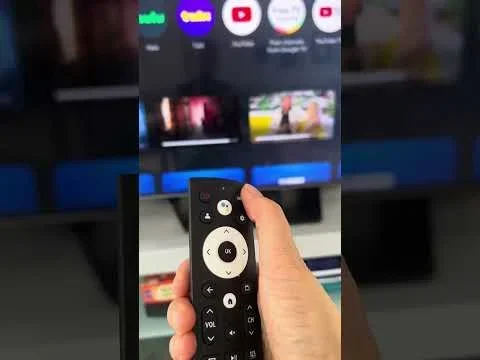
Visual guide about how to streaming TV remote couch
Image source: i.ytimg.com
Start with the most direct search if you already have a show in mind. Type the title and look for the official page. If the app returns several results, choose the one that matches the show’s actual title, not a clip, review, or fan upload. That keeps you from clicking the wrong thing.
Browse by genre when you are choosing something new
If you are not sure what to watch, genre pages can be a shortcut. Many free platforms organize shows into comedy, drama, crime, sci-fi, reality, and similar groups. This is useful because free libraries often highlight certain genres more than others. You may find a strong selection in one category even if another category is thin.
When browsing by genre, sort by popularity or newest additions if the app allows it. Sorting can help you avoid spending too long on shows that are no longer active or hard to find. It also gives you a better sense of what the platform currently recommends.
Use collections and featured rows
Many services arrange content into rows or collections such as trending shows, hidden gems, complete series, or shows you can watch now. These sections can be helpful because they often group free content together. They also give you a quick look at what the platform wants to promote.
A practical tip is to spend a minute scanning these rows before diving into a deep search. You may spot a show you would have missed otherwise. This is especially useful on mobile apps, where scrolling through curated sections is often easier than typing searches.
Verify That the Show Is Truly Free to Watch
This step matters more than it sounds. A show can appear in search results and still not be free in every sense. Some platforms label content in ways that are easy to miss. Others let you start watching and then interrupt you with a paywall halfway through.
To avoid that, open the show page and look for the viewing options. If the episode begins right away, that is a good sign. If the platform asks you to choose a plan, unlock a season, or activate a trial, then what you are seeing may not be the free path.
Watch for episode-level differences
One common trap is assuming that if one episode is free, the whole series is free. In reality, some services make early seasons free and keep later seasons behind a paywall. Some shows are free only for certain episodes. Others offer the first few episodes as a preview.
Before you invest time in a series, check a few episodes, not just the first one. If the show suddenly asks for payment later, you will know sooner rather than later. This is a simple way to prevent disappointment.
Read the small print around ads and interruptions
Free usually means ad-supported. That does not make it a bad deal, but it does mean you should know what to expect. Commercials may appear before an episode, during it, or both. Some platforms also show promotional messages for other shows.
If you want a smoother experience, check whether the app gives you any control over the number of ads or the type of content. Not every platform does, but it is still worth noticing. Knowing the trade-off helps you decide whether a service is worth using for a long show or a full season.
Build a Simple Watchlist So You Do Not Lose Track
When you are using multiple free platforms, it is easy to forget where a show is available. A watchlist solves that problem. Some platforms let you save titles after you create a free account. Others let you add shows to a list without payment.
Even if you do not want to sign up, you can still keep your own simple list outside the app. A note on your phone or computer can be enough. Write down the show name, the platform, and whether it was free or only partly free. That small habit saves time later.
Use account features when they are actually useful
If a platform offers a free account, it may also give you progress tracking, episode reminders, or a continuing-watch row. These features can be helpful if you watch shows over several days. They also make it easier to jump back in without searching again.
The key is to avoid signing up for anything that feels unnecessary or risky. If an account is truly free and only needs an email address, that is usually simpler. If the sign-up process starts asking for payment details before you can use the free features, pause and decide whether it is worth it.
Keep track of where each show lives
One of the most practical habits is remembering which platform has which show. Free libraries change, so a title that is available today may move later. If you keep a small note of where you found a show, you will not have to start from scratch next time.
This also helps if you are choosing between two similar shows. You may discover that one is easier to access than the other, or that one has a more complete free library. That kind of comparison can save you from getting stuck halfway through a series.
Handle Common Problems Before They Derail Your Viewing
Even when you are using legitimate free platforms, you may run into small problems. A video may not load. An episode may be unavailable in your area. The app may ask you to sign in when you expected it to be open. These issues are usually fixable, but they can be annoying if you do not know what to check.
The first thing to try is refreshing the page or restarting the app. It sounds basic, but many playback problems clear up quickly. If that does not work, check your internet connection and then try another device if you have one. Sometimes the issue is with the device, not the service.
If a show is unavailable, confirm region and library changes
Some free shows are limited by location. A platform may offer the same title in one country and not in another. If a show is missing, do not assume it is gone everywhere. It may simply not be available in your region.
It is also possible that the library changed. Free platforms often rotate content. A show that was available last week may not be there today. If that happens, check whether the platform still lists the title in search results, even if the episode is temporarily unavailable.
If the app keeps asking for payment, look for the free path again
Sometimes a platform shows both free and paid options in the same place. If you keep seeing subscription prompts, go back to the main free section and search again. You may have landed on a page that is tied to a paid tier rather than the ad-supported one.
Another useful check is to look at the show from the homepage or a free category. That can lead you to the correct viewing path. If the show is truly free, there should be a way to reach it without a payment step.
Choose the Best Free Option for the Show You Want
Not every free platform will be the best home for every show. Some services have stronger TV lineups. Others are better for older series, niche genres, or certain types of programming. The best choice depends on what you want to watch and how much commercial content you are willing to sit through.
A good decision process is simple. First, confirm the show is available. Second, check whether the free version includes the episodes you want. Third, decide whether the platform’s library and ad experience are acceptable. If the answer to all three is yes, you have a solid option.
Compare libraries instead of assuming one service has everything
It is easy to think one app will cover everything, but free libraries are often uneven. One platform may have a strong comedy selection. Another may be better for dramas or older network shows. That is why it helps to compare a few services rather than stopping at the first result.
If you are hunting for a specific show, check more than one platform before giving up. If you are browsing for something new, compare genre sections across services. You may find that the best match is not on the first platform you open.
Think about the long view, not just one episode
If you only want to watch one episode, almost any free option may work. But if you plan to follow a full season or a long series, the experience matters more. A platform with better progress tracking, easier replay, or a cleaner library may be worth choosing even if the content is similar elsewhere.
This is also where your own tolerance for ads comes in. A service with more commercials may still be fine for a short show. For a long viewing session, you may prefer a platform that feels less interruptive or has a more organized interface.
Make the Most of Free Viewing Without Getting Frustrated
The best results usually come from a calm, repeatable routine. Pick a few trusted platforms. Search with filters when you can. Confirm the show is free before you commit. Keep a simple list of where things are. That approach makes free streaming feel much easier than random searching.
It also helps to set expectations. Free streaming is real and useful, but it is not the same as having every show available everywhere. You may still need to try more than one service, and you may still encounter rotating content. Once you accept that, the process becomes much less frustrating.
Use a repeatable checklist before you watch
Here is a simple routine you can use every time:
- Pick a platform that clearly offers free, ad-supported viewing.
- Search for the show or browse its genre.
- Open the show page and confirm the episodes are free.
- Check whether later seasons or certain episodes are locked.
- Start watching and note where you left off.
That checklist may seem small, but it keeps you from wasting time on shows that only look free at first glance. It also makes it easier to compare platforms without getting overwhelmed.
Keep your options open as libraries change
Free streaming works best when you stay flexible. If one platform loses a show, another may pick it up later. If a series is partially locked today, the availability may change tomorrow. The more platforms you know how to use, the easier it is to adapt.
Over time, you will also learn which services tend to have the kinds of shows you enjoy. That makes the whole process faster. Instead of searching blindly, you will know where to look first.
Final Thoughts on Finding Free TV Shows
Finding free TV shows on streaming platforms is less about luck and more about using the right services in the right way. Start with legitimate ad-supported platforms, confirm that the show is actually free, and use search filters or genre pages to move faster. A small watchlist and a simple checklist can make the whole experience smoother.
The main thing to remember is that free does not always mean every episode is available, and it does not mean every platform works the same way. If you check the details before you settle in, you can enjoy more shows without paying and avoid the frustration of hitting a paywall halfway through.