
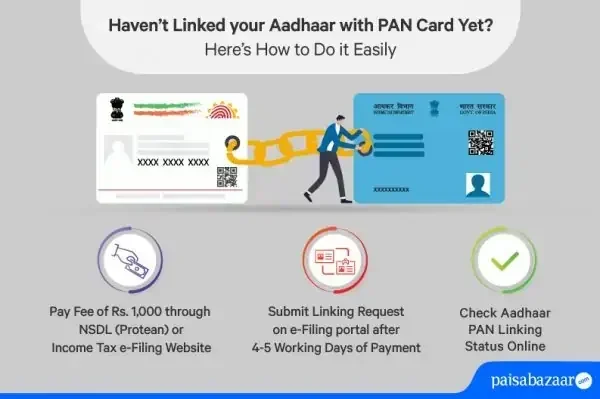
Linking your PAN with Aadhaar is now mandatory for most financial tasks in India. You can complete the pan aadhaar link online process in just a few minutes using the official government portal. This guide shows you exactly how to do it, where to check your status, and what to do if you face errors. Follow these simple steps to stay compliant and avoid penalties.
If you hold a PAN card in India, you have probably heard about linking it with Aadhaar. The rules have changed over time, and the government now expects most taxpayers to complete this step. Many people feel confused about where to start. The good news is that you can handle everything from your phone or laptop. This guide walks you through the pan aadhaar link online process in a simple, stress-free way.
You do not need to visit a tax office or stand in long queues. The entire process happens on the official portal. You just need your PAN details, Aadhaar number, and a valid mobile number. Once you submit the request, you can also check the status anytime. We will cover the steps, the status check, common mistakes, and quick fixes so you can move forward with confidence.
Key Takeaways
- Mandatory Link: The government requires you to link your PAN card with Aadhaar for tax and financial compliance.
- Online Process: You can complete the pan aadhaar link online through the official Income Tax portal without visiting any office.
- Quick Status Check: Use the dedicated status checker to verify if your linking request was successful.
- Name Match Matters: Your name and date of birth should match across both documents to avoid rejection.
- Deadline Awareness: Submit your linking request before the official deadline to prevent PAN inactivation.
- Free of Cost: The official pan aadhaar link online service is completely free on the government website.
- Keep Records: Save your acknowledgment number and screenshots for future reference and dispute resolution.
📑 Table of Contents
Why You Should Complete the Pan Aadhaar Link Online
The government introduced this requirement to reduce fake identities and improve tax tracking. When your PAN and Aadhaar are linked, your financial records become easier to verify. This helps during tax filing, bank account openings, and other financial activities. If you skip this step, you may face delays or restrictions in daily transactions.
Many people think linking is optional, but the rules are clear for most users. The process also helps protect your identity because Aadhaar adds a biometric layer of verification. That is why completing the pan aadhaar link online is a smart move. It keeps your records clean and saves you from last-minute panic.
Who Needs to Link PAN with Aadhaar
Most Indian residents who file taxes or carry out financial transactions need to link these two IDs. If you are a citizen and your PAN is active, you should check the requirement carefully. Even if you already linked them before, it is wise to confirm the status. Rules can update, and a quick check prevents surprises later.
Some categories may have exceptions, but the safest approach is to verify your case on the official portal. If you are unsure, treat the pan aadhaar link online step as a routine task. It takes only a few minutes and gives you peace of mind.
Benefits of Linking Early
When you link early, you avoid rushed work and possible errors. You also get time to fix small mismatches in names or dates. Early linking helps during tax season because your returns process more smoothly. It also reduces the chance of your PAN getting flagged for non-compliance.
- Faster tax filing: Your details stay consistent across systems.
- Less stress: You avoid deadline pressure and sudden notices.
- Better record keeping: Your financial identity remains unified.
- Easy verification: Banks and other institutions can confirm your details faster.
Step-by-Step Guide to Pan Aadhaar Link Online
The official process is simple if you follow the right path. You start on the Income Tax e-filing portal and move to the linking section. The form asks for basic details, and you confirm them before submitting. After that, you receive an acknowledgment. Keep that number safe because you may need it later.
Visual guide about pan aadhaar link online
Image source: taxsing.in
Below is a clear flow you can follow without guessing. Take your time, read each field carefully, and double-check the spelling of your name. A small typo can cause a mismatch, so accuracy matters more than speed.
What You Need Before You Start
Before you begin the pan aadhaar link online process, gather the following items. This small preparation step saves time and prevents mistakes.
- PAN card details: Keep your PAN number ready.
- Aadhaar number: Have your 12-digit Aadhaar number handy.
- Valid mobile number: Use the number linked to your Aadhaar or the one registered with the tax portal.
- Email address: Many users receive confirmation messages here.
- Stable internet connection: A smooth connection helps avoid form submission errors.
How to Fill the Linking Form Correctly
Once you open the linking page, enter your PAN and Aadhaar details as prompted. The system usually asks for your name, date of birth, and sometimes a security code. Type slowly and compare the entries with your documents. If your name has a middle name, make sure it appears in the same format as your Aadhaar record.
After filling the form, review everything once more. Then submit the request. The portal will process the data and show a confirmation screen. You should see an acknowledgment number or a success message. If you do not see confirmation, do not assume it worked. Check the status using the next steps.
Quick Tip: Take a screenshot of the confirmation page. Save the acknowledgment number in a note or email it to yourself. This small habit helps a lot if you need to trace the request later.
How to Check Pan Aadhaar Link Status Online
After submitting the request, the next logical step is to verify the result. The status check tells you whether the linkage is complete or still pending. It also helps if you are not sure whether the system accepted your details. You can check the pan aadhaar link online status through the same government ecosystem without extra paperwork.
The status page usually asks for your PAN and Aadhaar number. Enter them carefully and view the result. If the link is successful, you will see a confirmation. If it is not yet updated, you may need to wait or re-check your inputs. Patience matters here because system updates are not always instant.
Understanding the Status Messages
Different messages can appear on the status screen. It helps to know what they mean so you can act properly. Here are the common outcomes you may see:
- Linked successfully: Your PAN and Aadhaar are connected. You can move on with confidence.
- Pending or processing: The request is under review. Wait a little and check again later.
- Mismatch detected: Some detail does not match. Review your name, date of birth, or Aadhaar linking status.
- Not found or invalid: The system may not have recognized the entered data. Recheck the numbers and try again.
What to Do If the Status Shows an Error
If you see an error, do not panic. Most issues come from small data mismatches or temporary system delays. First, confirm that your Aadhaar is active and linked to a working mobile number. Then verify your PAN details on the official 기록. If the spelling of your name differs even slightly, the system may reject the match.
You can also try the pan aadhaar link online check again after a short wait. Sometimes the portal needs time to sync the latest data. If the issue continues, use the correction options available on the tax portal or update your Aadhaar details through the official UIDAI channel. Keep your acknowledgment number ready when you follow up.
Common Mistakes That Delay Pan Aadhaar Link Online
Many users face delays because of simple avoidable mistakes. The process is straightforward, but one wrong entry can create a hurdle. Learning these common traps helps you skip the frustration and finish faster.
Name and Date of Birth Mismatch
This is one of the most frequent issues. If your PAN shows a different name format than your Aadhaar, the system may not match them cleanly. The same applies to date of birth. Even a small difference can trigger a mismatch warning. Always compare both documents before submitting the pan aadhaar link online request.
Using an Unlinked Mobile Number
Some portals send OTPs or alerts to the mobile number registered with Aadhaar or the tax account. If you use a different number, you may not receive the needed code. That can stop the process midway. Before starting, make sure your mobile number is active and ready to receive verification messages.
Entering Incorrect Aadhaar or PAN Numbers
Typos happen. One extra digit or one missing character changes everything. Double-check the 12-digit Aadhaar number and your PAN code before hitting submit. If the portal rejects the input, do not repeat the same mistake quickly. Pause, verify, and then try again.
Common Mistakes to Avoid:
- Rushing through the form without checking spelling
- Using outdated personal details
- Ignoring the success message or acknowledgment number
- Assuming the link is complete without checking status
- Trying unofficial third-party sites that ask for extra fees
Expert Insights for a Smooth Pan Aadhaar Link Online Experience
A few simple habits can make the process much easier. Think of this as a small admin task that deserves a calm approach. When you slow down and verify each detail, you reduce the chance of errors. The goal is not just to submit the form, but to complete a valid link that stays recorded correctly.
It also helps to treat the pan aadhaar link online step as part of your yearly financial cleanup. Many people do it once and forget about it. Instead, keep a simple record of the confirmation and check the status if you update your Aadhaar or PAN later. That way, you stay ahead of any changes.
Practical Tips From Experience
Here are some practical habits that make the process smoother:
- Use a quiet moment: Start when you can focus without distractions.
- Keep documents nearby: Have your PAN and Aadhaar details open for quick comparison.
- Type carefully: Accuracy matters more than speed.
- Save proof: Store the confirmation and status screenshot in a safe folder.
- Re-check after updates: If you change your name or address later, verify the link again.
Expert Insight: Many delays happen because people treat this as a one-click task. In reality, it is a data-matching task. When your details align cleanly, the system usually moves faster. A careful first attempt is better than multiple rushed retries.
Final Checklist Before You Finish
Before you close the task, run through a short checklist. This final review helps you confirm that the pan aadhaar link online step is truly complete. It takes less than a minute and can save you from future confusion.
- Confirmation received: You saw a success message or acknowledgment number.
- Status verified: You checked the result and it shows the link as complete.
- Details match: Your name and date of birth look consistent across documents.
- Proof saved: You stored the confirmation in a safe place.
- Contact info updated: Your mobile number and email are current for future alerts.
If all these points look good, you are in a strong position. You have handled the task cleanly and reduced the risk of avoidable issues later. If something still feels unclear, check the status once more and review your inputs. A little extra attention now is better than fixing a problem later.
Conclusion
Linking your PAN with Aadhaar does not have to be stressful. With the right steps, you can complete the pan aadhaar link online process quickly and check the result without confusion. The key is to stay accurate, use the official route, and verify the status after submission. When you do that, the task becomes a small but important part of managing your financial identity.
Take a few minutes today to finish the linking and save your confirmation. Keep your details consistent, watch for mismatch warnings, and use the status check if anything feels uncertain. A careful approach now helps you stay compliant and move through tax and banking tasks with less hassle.
Frequently Asked Questions
Can I link PAN with Aadhaar online for free?
Yes, the official pan aadhaar link online process is free when you use the government portal. You should avoid third-party sites that ask for extra charges or unnecessary permissions.
How long does the linking process take?
In many cases, the confirmation appears quickly after you submit the form. However, the status may show pending for a short period, so it is best to check again later if needed.
What should I do if my name does not match between PAN and Aadhaar?
First, compare both documents carefully and note the exact difference. You may need to update one of the records through the proper correction process before the pan aadhaar link online request can succeed.
Can I check the status if I forgot my acknowledgment number?
Usually, you can check the status using your PAN and Aadhaar details without the acknowledgment number. Still, saving that number is helpful for future reference and faster follow-up.
Is it safe to link PAN and Aadhaar on the official portal?
Yes, as long as you use the official government website and avoid suspicious links. Always check the web address carefully and never share OTPs with anyone.
Do I need to link PAN with Aadhaar again after updating my details?
If you change important details like your name or address, it is wise to verify the link again. A quick status check helps confirm that the pan aadhaar link online record still reflects your current information.