
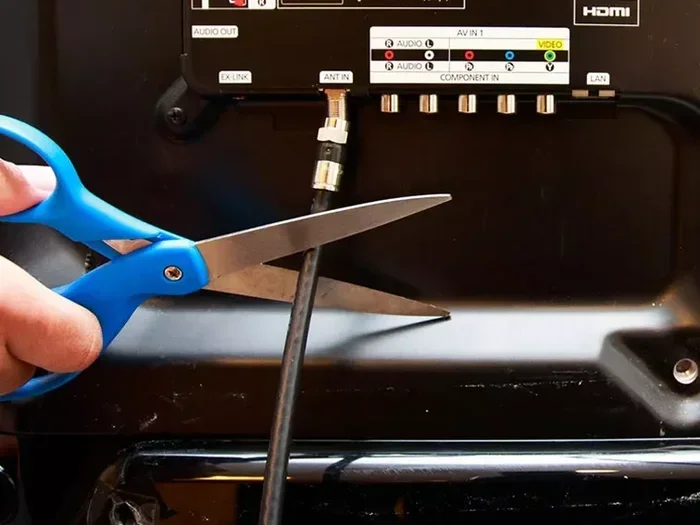
Featured image for how to Cord cutting streaming TV setup
Image source: i.pinimg.com
Cutting the cord is easier than ever, and you can watch your favorite TV shows without cable while keeping more money in your pocket. This guide walks you through streaming services, free apps, digital antennas, and smart setup choices so you can build a viewing plan that fits your habits and budget. You will also learn how to compare options, avoid surprise fees, and enjoy a smooth watching experience from day one.
📑 Table of Contents
- Why Cutting Cable Is Worth Considering
- Step 1: Decide What You Really Watch
- Step 2: Check Your Internet Connection
- Step 3: Pick the Right Streaming Services
- Step 4: Use Free and Ad-Supported Streaming Apps
- Step 5: Add a Digital Antenna for Local Channels
- Step 6: Set Up Your Viewing Devices
- Step 7: Organize Your Subscriptions and Budget
- Step 8: Build a Simple Viewing Routine
- Troubleshooting Common Cord-Cutting Problems
- How to Make the Switch Without Stress
- A Practical Example of a Low-Cost Setup
- Final Thoughts on Watching TV Without Cable
Why Cutting Cable Is Worth Considering
If you have ever looked at your monthly TV bill and wondered where all the money went, you are not alone. Many people pay for bundles that include channels they never watch, equipment fees they do not need, and promotional rates that disappear after a few months. The good news is that watching TV shows without cable is now a normal part of everyday life, and it can be much easier to control your spending.
The biggest advantage is flexibility. Instead of locking yourself into a long-term package, you can choose services one at a time and change them as your interests change. That means you can subscribe when a favorite show is airing and pause or cancel when you want to save money. You also get more control over where and how you watch, especially if you like catching up on your phone, tablet, or laptop.
Another benefit is simplicity. Many streaming options are designed for quick setup, and you do not always need a pile of cables, remotes, and boxes. If your internet connection is reliable, you can often start watching with a few selections on your screen. That does not mean every option is perfect, but it does mean you have more ways to build a setup that fits your routine.
Before you make any changes, it helps to understand what you actually want from television. Do you care most about local news, premium dramas, live sports, or a mixed mix of everything? The answer will shape which services make sense and which ones you can skip. Once you know that, the process becomes much less overwhelming.
Step 1: Decide What You Really Watch
The smartest way to start is by taking a quick inventory of your viewing habits. Many people pay for channels they barely use, so this step can save you money before you even pick a new service. Grab a notebook or open a note on your phone and write down the shows, networks, and types of content you watch most often.
Visual guide about how to Cord cutting streaming TV setup
Image source: blog.rentacenter.com
Try to be honest about your patterns. If you only watch a few series each month, you may not need a large bundle. If you enjoy live broadcasts, local channels, or sports, that changes the picture too. If you mostly stream on demand, you may be able to rely on a smaller mix of services.
Here are a few questions that can help:
- Which shows do you watch regularly?
- Do you need live TV, or are you fine with on-demand episodes?
- Do you watch local broadcast channels for news or sports?
- Do you prefer one screen or multiple devices?
- How much are you comfortable spending each month?
Once you answer those questions, you will have a much clearer idea of what kind of setup you need. That makes the next steps easier and helps you avoid paying for features you will not use.
Step 2: Check Your Internet Connection
Streaming TV shows works best when your internet connection is steady and fast enough for the quality you want. You do not need the most expensive plan on the market, but you do want enough speed for smooth playback, especially if more than one person is watching at the same time.
How Much Speed Do You Need?
For most households, a moderate internet plan is enough for streaming. If you watch in standard or high definition, you can usually get by with a connection that handles a few devices at once. If you enjoy sharper video or have several people streaming together, a stronger plan may be worth it. The main goal is to avoid constant buffering and dropped quality.
Simple Ways to Improve Performance
If your Wi-Fi feels slow in the room where you watch TV, a few small changes can help. Try moving your router closer to your viewing area, reducing the number of devices running in the background, or using a wired connection when possible. You can also restart your router if the signal seems sluggish. These are not magic fixes, but they often make everyday streaming feel smoother.
What to Watch Out For
It is also smart to check your data limits if your internet plan has them. Streaming video uses more data than casual browsing, so heavy viewing can add up. If your provider sets a cap, keep that in mind before you start subscribing to multiple services.
Step 3: Pick the Right Streaming Services
This is where many people start to feel unsure, because there are so many choices. The best approach is not to chase every service. Instead, choose a small set of platforms that match your must-watch shows and your budget. A focused selection is usually better than signing up for everything.
Subscription Streaming Services
Subscription services are popular because they are easy to use and often carry popular shows, movies, and original programming. Some focus on broad entertainment, while others specialize in certain genres or networks. When comparing them, look at the shows you actually care about rather than the size of the library alone.
A few things worth comparing include:
- Whether the service has the shows or channels you want now
- How often new episodes appear
- Whether the app works well on your devices
- If the service includes ads or offers an ad-free option
- Whether you can cancel or pause when needed
Live TV Streaming Options
If you want something closer to traditional cable, live TV streaming services may be useful. These services often include live channels, guide features, and recording options in some cases. They can be a good fit if you want news, sports, or scheduled programming without a cable contract.
Keep in mind that live TV plans usually cost more than basic on-demand subscriptions. That does not make them a bad choice, but it does mean you should check whether the channel lineup is worth the price for your household. If you only need a few live channels, a smaller setup may be better.
Niche and Specialty Services
Some services focus on specific interests, such as children’s programming, certain networks, or particular genres. These can be helpful if you have a clear favorite, but they are not always necessary. A good rule is to start with the basics and add a specialty service only when it solves a real viewing need.
Step 4: Use Free and Ad-Supported Streaming Apps
One of the easiest ways to watch TV shows without cable and save money is to use free streaming options. These apps and platforms can be surprisingly useful, especially if you are comfortable watching with ads. They are a great way to fill in gaps between paid services or to reduce the number of subscriptions you need.
Free services often include a mix of older shows, movies, and some current or recently aired content, depending on the platform. The trade-off is usually advertising, and the selection may change over time. Even so, they can be a valuable part of a cord-cutting setup.
Good Ways to Use Free Streaming
Free apps work especially well when you want background viewing, discover new shows, or watch content without adding another monthly bill. They can also be useful for families, since different members may find different things to enjoy. If you are trying to keep costs low, these platforms are worth exploring before you commit to more paid plans.
What to Expect
Do not expect every free app to have the newest episodes of every popular series. Some content may be limited by licensing, and libraries can shift from time to time. Still, if your goal is to watch more TV without raising your monthly costs, free streaming is one of the simplest tools available.
Step 5: Add a Digital Antenna for Local Channels
If local broadcast channels matter to you, a digital antenna can be a very practical addition. It lets your TV receive over-the-air signals for certain local channels, which can include news, sports, and popular programming depending on where you live. This is one of the oldest cord-cutting tricks, and it still works well for many households.
Who Benefits Most
A digital antenna is especially useful if you want local channels without adding another subscription. It can also be a good backup if you like watching live broadcasts or want a free source of content after you cancel cable. For some viewers, this single addition makes the rest of the setup feel much more complete.
Choosing and Placing an Antenna
Antenna performance depends on your location, the layout of your home, and how far you are from local towers. A simple indoor antenna may be enough if you live relatively close to the broadcast sources you want. If signal strength is weak, placement matters a lot, so try setting the antenna near a window or in a higher spot. You may need to test a few positions before you get the best result.
Realistic Expectations
An antenna will not replace every channel or every streaming service, and it may not solve every viewing need. But it can be a strong money-saving piece of the puzzle. If local channels are important to you, it is worth considering before you finalize your setup.
Step 6: Set Up Your Viewing Devices
Once you know which services and channels you want, the next step is making sure you can watch them comfortably. The good news is that you usually have several device options, and many homes already own something that works.
Smart TVs
Many modern smart TVs include built-in apps for popular streaming services. If your TV already supports the platforms you want, you may not need much extra equipment. This is often the simplest route because everything lives in one place.
Streaming Sticks and Media Devices
If your TV is not a smart model, or if you want a better app selection, a streaming stick or media device can help. These devices plug into your TV and give you access to streaming apps without needing cable. They are usually easy to set up and can make an older TV feel much more current.
Game Consoles and Other Devices
Some game consoles and other media devices also support streaming apps. If you already own one, it may be convenient to use it for TV watching as well. The best choice depends on what you already have and which apps you need.
Keep the Experience Simple
It is tempting to buy every gadget available, but you probably do not need to. Start with one reliable device that covers your main services, then expand only if necessary. A cleaner setup usually means less frustration and fewer remotes to manage.
Step 7: Organize Your Subscriptions and Budget
After you pick your services, the real money-saving work begins. Subscriptions can quietly add up if you keep every service active all the time. A little organization goes a long way toward keeping your monthly costs under control.
Track What You Actually Use
Every month or so, review which services you are using and which ones are sitting idle. If a subscription is not earning its place, consider pausing or canceling it. This is one of the easiest ways to watch TV shows without cable while keeping your budget in check.
Rotate When It Makes Sense
Some viewers rotate subscriptions instead of keeping them all at once. For example, you might subscribe to one service while a favorite show is running, then switch to another later. This works best when you are patient and plan ahead, but it can be a smart way to enjoy more content without paying for everything at the same time.
Watch for Hidden Costs
Even without cable, there can be extra costs to think about. Some services offer lower-priced ad-supported tiers and higher-priced ad-free tiers. Some devices may need an initial purchase. Some content may only be available through add-ons or separate subscriptions. Reading the details before you sign up helps you avoid surprises.
Step 8: Build a Simple Viewing Routine
A good cord-cutting setup works best when it fits your routine. If you know where to find your favorite shows and how to move between services, watching becomes much easier. You do not need a complicated system. You just need a plan that makes sense for your household.
For example, you might keep local channels on your antenna, your favorite subscription service on your home screen, and a free app for casual viewing. That kind of setup gives you variety without forcing you to juggle too many options. The goal is convenience, not perfection.
If you share a TV with other people, it can help to agree on a few basics. Decide which services matter most, where the icons live on the screen, and how you will handle live broadcasts or on-demand watching. A little coordination can prevent a lot of confusion later.
Troubleshooting Common Cord-Cutting Problems
Even a well-planned setup can run into small issues. Most of them are manageable, and you do not usually need to start over when they happen. Here are some common problems and practical ways to handle them.
Video Keeps Buffering
Buffering usually points to a connection issue rather than a problem with the show itself. Try closing other apps or devices that may be using bandwidth, restarting your router, or moving closer to the Wi-Fi signal. If the problem continues, test another device to see whether the issue is with the TV, the network, or the service.
An App Keeps Crashing or Freezing
If one app is acting up, try signing out and back in, clearing the app cache if your device allows it, or reinstalling the app. It also helps to check for updates. Sometimes the issue is temporary and resolves after a quick refresh.
You Cannot Find a Show You Expect to See
Not every show is available on every platform, and licensing can change. If a series is missing, search across the services you already use before assuming it is gone entirely. You may find it on a different app or in a different region of the platform.
Local Channels Are Weak or Missing
Antenna performance can vary a lot based on placement and distance from broadcast towers. If reception is poor, adjust the antenna position, try a different spot near a window, or check whether obstacles are getting in the way. A small change in placement can make a noticeable difference.
Your Bill Still Feels Too High
If your new setup is still costing more than you expected, look for services you rarely use and consider trimming them. You may also be paying for features you do not need, such as higher-priced tiers or extra devices. Simplifying is often the fastest way to bring costs down.
How to Make the Switch Without Stress
Changing from cable to another way of watching TV is usually easier when you take it one step at a time. You do not have to cancel everything on the same day or replace your entire routine overnight. A gradual transition can make the process feel much more comfortable.
Start by keeping your current setup while you test new services. Watch a few shows on the apps or devices you are considering, and see how they fit your habits. Once you are confident that the new arrangement covers the content you care about, you can make the final change with less uncertainty.
It also helps to give yourself a little patience. The first week may involve a few extra searches, a few app downloads, and some trial and error. That is normal. After a short adjustment period, most people find that the new setup becomes second nature.
A Practical Example of a Low-Cost Setup
To make this more concrete, imagine a household that wants a mix of local channels, a few subscription shows, and casual free viewing. One possible setup could include a digital antenna for local broadcasts, one main subscription service for favorite series, and a free streaming app for extra content. The exact combination would depend on the shows each person actually watches.
This kind of setup works because it avoids paying for everything at once. Instead of buying a giant package, the household focuses on the content that matters most and uses lower-cost options for the rest. That is the basic idea behind watching TV shows without cable and saving money: choose intentionally, not automatically.
Final Thoughts on Watching TV Without Cable
Watching TV shows without cable is no longer a complicated experiment. For many people, it is simply a smarter way to manage entertainment costs and choose what appears on their screen. The key is to start with your real viewing habits, build a setup around them, and keep your options flexible.
If you take the time to compare services, use free apps wisely, and add tools like a digital antenna when they make sense, you can enjoy plenty of viewing choices without a heavy monthly bill. The best setup is not the one with the most subscriptions. It is the one that gives you the shows you want at a price that feels comfortable.
If you are ready to explore a cord-cutting option that fits your budget and viewing style, you can review available services and decide which one matches your needs. A thoughtful switch can make television feel more personal, more flexible, and much easier on your wallet.