
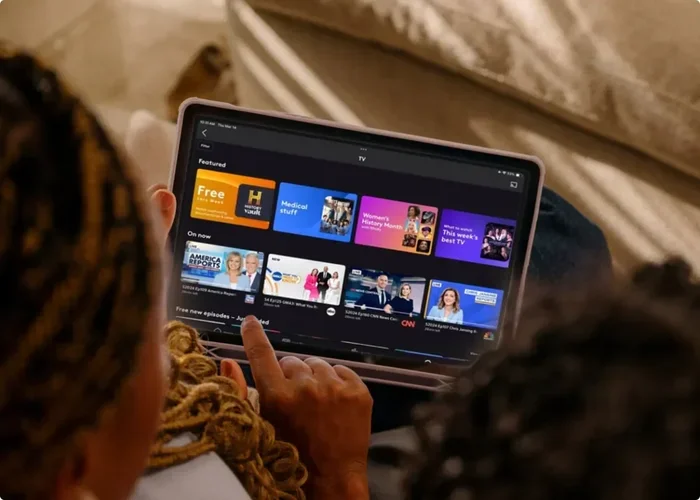
Featured image for how to streaming TV episodes on tablet
Image source: assets.xfinity.com
If you missed a recent broadcast or want to revisit an old favorite, there are several safe and legal ways to watch previous episodes of a TV show online. This guide walks you through streaming platforms, network catch-up services, rental options, and smart search tricks so you can find the exact season and episode you want. You will also learn how to avoid common playback issues and pick the best viewing method for your budget and device.
📑 Table of Contents
- Why viewers look for past episodes
- Step one: identify the exact show and episode you want
- Step two: check the network or broadcaster first
- Step three: search licensed streaming services
- Step four: explore free ad-supported streaming options
- Step five: use digital storefronts for older seasons
- Step six: use smart search techniques to find the right episode
- Step seven: choose the right device and app for viewing
- Troubleshooting common problems
- How to decide which method is best for you
- Tips for a smoother catch-up experience
- When an episode still cannot be found
- Final thoughts on catching up the easy way
Why viewers look for past episodes
Television schedules can be messy. You might miss a weekly episode because of travel, work, or a simple scheduling conflict. Other times, you discover a series months after it started and want to catch up before the newest episode airs. In both cases, the goal is the same: you want a reliable way to watch previous episodes of a TV show online without jumping through frustrating hoops.
The good news is that there are more legitimate viewing options than ever. Many broadcasters publish recent episodes on their own apps. Subscription services often host full seasons. Digital storefronts sell or rent older seasons. The challenge is not a lack of choices. The challenge is knowing where to look first and how to avoid dead ends.
This guide explains the most practical paths you can take, from free network apps to paid rentals, and shows you how to narrow your search quickly. You will also learn how to handle common playback problems and what to do when a show is not available in your area.
Step one: identify the exact show and episode you want
Before you start searching, get specific. A vague search for a show name can lead to clips, recaps, fan uploads, and unrelated content. If you want to watch previous episodes of a TV show online efficiently, it helps to know the exact season and episode you need.

Visual guide about how to streaming TV episodes on tablet
Image source: worldoftablet.com
Gather the basics
Write down the show title, the season number, and the episode number if you have it. If you only remember a plot point, note that too. Details such as a character name, a landmark scene, or even the approximate air date can help you confirm you are looking at the right installment.
Check the episode order
Some series have complicated numbering. A season may include specials, unaired episodes, or different ordering on streaming platforms than on the original broadcast. If the episode title or number seems off, compare the listing with the network’s official site or a trusted episode guide.
Decide how far back you need to go
Are you trying to catch up on the last three episodes, or do you want to start from season one? The answer affects where you should look. Recent episodes are often easier to find through network catch-up services, while older seasons may live in subscription libraries or digital stores.
Step two: check the network or broadcaster first
The simplest starting point is usually the network that airs the show. Many broadcasters make recent episodes available through their own websites and apps, sometimes for free and sometimes with a cable or TV provider login.
Visit the official network site
Search for the broadcaster’s official page for the show. Look for a watch, stream, or episode guide section. If the network offers recent episodes, this is often the most direct route. You may see a few episodes available immediately after they air, with older ones moving behind a login or out of the free window over time.
Try the network’s app
Many networks have dedicated apps that let you browse shows and episodes by name. These apps often organize content by season, which makes it easier to find the exact installment you want. If you already use a TV or mobile device, the app route can be faster than searching through a browser.
Look for a provider login option
Some network apps require you to sign in with a cable, satellite, or live TV service account. If you already subscribe to a provider, this can unlock a larger selection of episodes. If you do not, the app may still offer a limited number of free episodes, depending on the show and the broadcaster’s current policy.
Step three: search licensed streaming services
If the network app does not have what you need, the next step is to check licensed streaming platforms. Different services hold different rights, so the best place to watch previous episodes of a TV show online may depend on the series itself.
Start with the services you already use
Before opening a new subscription, check the platforms you already pay for. A show may be available on a general entertainment service, a niche streaming app, or a service bundled with another subscription. Searching your current apps first can save time and money.
Use a search engine or platform search wisely
Type the show name along with the word episode, season, or the specific episode title. If you are searching inside a streaming service, use its internal search and filter results by series rather than movie or clip. That helps reduce the chance of landing on a compilation or highlight reel.
Confirm the catalog matches your season
Even when a show appears in a streaming library, not every season may be included. Some platforms carry only the most recent seasons, while others host the full back catalog. Open the series page and check the season list before settling in to watch.
Step four: explore free ad-supported streaming options
Free services can be a useful middle ground, especially when you only need a few recent episodes. These platforms often include advertising, but they can still offer a convenient way to watch previous episodes of a TV show online without adding another paid subscription.
Look for official free streaming apps
Several legitimate services include TV episodes supported by ads. These apps are usually easy to use and work on many devices. If a show is available, you may be able to start watching with a free account rather than a cable login.
Expect a limited window
Free availability often changes. A service may offer the most recent episodes for a short period, then rotate them out. If you are trying to catch up quickly, it is worth checking sooner rather than later.
Read the listing carefully
Not every video on a free platform is a full episode. Some results are recaps, previews, or short clips. Check the runtime and episode title before you start watching so you know you have the complete installment.
Step five: use digital storefronts for older seasons
When a show is no longer on a subscription service, digital purchase or rental may be the most reliable option. This is especially common for older series, niche programs, or titles whose licensing has moved between platforms.
Search major digital stores
Look for the show on reputable digital storefronts that sell or rent TV episodes and seasons. These stores usually list the available seasons clearly, along with the episode count and price. If you only need one episode, rental may be enough. If you want the whole series, buying the season may make more sense.
Compare rental and purchase options
Rental is useful when you want to catch up quickly and do not plan to rewatch. Purchase is better if you expect to revisit the series later or want permanent access. Prices vary by season and by platform, so it helps to compare before committing.
Check device compatibility
Before you buy, make sure the storefront supports your device. Some services work better on certain smart TVs, mobile devices, or browsers. If you plan to watch on a specific screen, confirm that the purchase will play smoothly there.
Step six: use smart search techniques to find the right episode
A good search can save you a lot of frustration. If you want to watch previous episodes of a TV show online, a few small adjustments to your search approach can make a big difference.
Include season and episode details
Adding the season and episode number to your search helps narrow the results. For example, searching the show name plus “season 2 episode 3” is more precise than searching the show name alone. That extra detail can help you skip unrelated videos and find the correct listing faster.
Search by episode title
Many shows use descriptive episode titles. If you remember one, use it. Episode titles are often unique enough to lead you straight to the right page, especially when combined with the season number.
Use quotes for exact phrases
If you are searching for an episode title or a specific phrase from the show, placing it in quotes can improve accuracy. This is especially helpful when a show name is common or when you want to avoid unrelated results.
Step seven: choose the right device and app for viewing
Once you find the episode, the next decision is where to watch it. The right device depends on your habits and the service you are using.
Pick a device that matches the service
Some services are easiest to use on a phone or tablet. Others are better suited to a laptop or smart TV. If you are watching alone, mobile may be fine. If you want a bigger screen and a more relaxed experience, a television or computer may be the better choice.
Use the official app when possible
Official apps are usually the most stable option. They often handle playback, subtitles, and episode navigation more smoothly than a browser workaround. If the service offers an app, it is worth trying first.
Check your internet connection
Streaming quality depends on your connection. If your Wi-Fi is unstable, you may experience buffering or lower video quality. If possible, move closer to your router, pause other heavy downloads, or switch to a wired connection for a more reliable viewing session.
Troubleshooting common problems
Even when a show is available, technical issues can get in the way. Here are some common problems and practical ways to handle them.
The episode is not showing up
If an episode is missing, first confirm that you are looking at the correct season and that the service actually carries that season. Sometimes a platform lists the show but only includes certain episodes. If that happens, try another legitimate source rather than assuming the episode does not exist.
Playback keeps buffering
Buffering is often a connection issue. Try lowering the video quality, closing other apps, or restarting the device. If the problem continues, test another browser or device to see whether the issue is local or service-wide.
The app will not log you in
Login problems can happen for many reasons, including expired credentials, app cache issues, or a temporary service problem. Try signing out and back in, updating the app, or using the website version instead. If you use a TV provider login, confirm that your account is still active.
Subtitles or audio are missing
Some episodes include multiple audio tracks or subtitle options, while others do not. Check the playback settings before assuming something is wrong. If the episode should have closed captions but does not, try a different device or report the issue through the service’s support options.
The episode appears to be a clip or recap
If the video is too short or seems to summarize the story rather than present the full episode, you may have landed on the wrong file. Go back to the series page and look for the full episode listing, or use a more specific search with the season and episode number.
How to decide which method is best for you
The best option depends on what you want to watch, how soon you want it, and how much you want to spend. If you only need a recent episode, the network app or a free ad-supported service may be enough. If you want a full season from an older series, a digital purchase or rental may be the most dependable route. If you already subscribe to a streaming service that carries the show, that is often the simplest starting point.
It also helps to think about convenience. A service that already works well on your devices may be better than a marginally cheaper option that is awkward to use. Likewise, if you only need one episode, paying for a full season may not be worth it. Matching the method to the situation usually gives the best result.
Tips for a smoother catch-up experience
A few small habits can make the process easier every time you want to watch previous episodes of a TV show online.
- Keep a short list of the shows you follow, including the season you are on.
- Note where each show is available so you do not start from scratch next time.
- Use the same device or app when possible, so playback settings and logins stay familiar.
- Check availability early if you are catching up before a new episode airs.
- Save your place if the service supports continue watching, so you can resume easily.
When an episode still cannot be found
Sometimes you will do everything right and still not find the episode you want. Licensing changes, regional restrictions, and catalog rotations can all affect availability. If that happens, try these steps:
- Confirm the show title and episode details again.
- Check more than one legitimate platform.
- Look for the season on a digital storefront.
- Wait and recheck later if the show may be in a licensing transition.
If you are searching for a show that is no longer widely distributed, availability may be limited. In that case, the most practical move is often to check multiple official sources rather than relying on a single platform.
Final thoughts on catching up the easy way
Finding past episodes does not have to be complicated. Start with the network or broadcaster, then check the streaming services you already use, followed by free ad-supported apps and digital storefronts if needed. Add precise search terms, verify the season and episode number, and choose a device that makes viewing comfortable. With that approach, you can watch previous episodes of a TV show online in a way that is simple, reliable, and suited to your situation.
The most important thing is to use legitimate sources and to know where to look first. Once you build a small routine for checking availability, catching up becomes much less stressful. Whether you are trying to stay current with a weekly series or revisiting a favorite show from years ago, the right path is usually just a few careful searches away.