
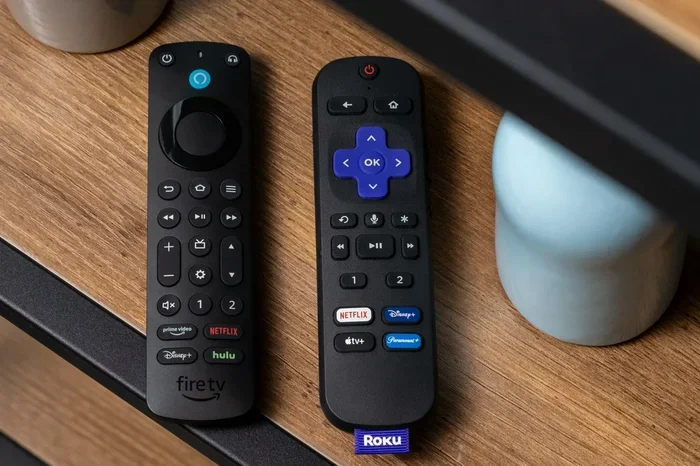
Featured image for how to modern streaming TV remote
Image source: platform.theverge.com
Staying current with your favorite series is easier when you build a simple tracking routine and use the right tools. By combining release calendars, notification alerts, and a reliable viewing schedule, you can follow new episodes without feeling overwhelmed. This guide walks you through practical steps that help you keep up with weekly drops, seasonal premieres, and surprise schedule changes.
📑 Table of Contents
- Why a Simple Update Routine Works Better Than Chasing Every Alert
- Step 1: Build a Central List of the Shows You Actually Want to Follow
- Step 2: Choose the Best Sources for Episode Updates
- Step 3: Set Up Alerts That Help Instead of Distracting You
- Step 4: Put Every New Episode on One Easy-to-Check Calendar
- Step 5: Create a Weekly TV Check-In Habit
- Step 6: Handle Schedule Changes Without Losing Track
- Step 7: Make Binge Patterns and Weekly Drops Work for You
- Troubleshooting: What to Do When You Still Feel Out of Sync
- A Smarter Way to Keep Up With New Episodes
Why a Simple Update Routine Works Better Than Chasing Every Alert
Television has become a lot harder to follow in a good way. There are more shows than ever, more streaming services, and more release patterns that do not always match the old weekly schedule people once expected. Some series drop every Friday. Others release one episode at a time on Wednesdays. A few drop whole batches at once. That variety is fun, but it can also make it easy to lose track of what is new, what is coming next, and what has already started without you.
The good news is that you do not need a complicated system to stay updated on new TV episodes. You need a repeatable routine. When you know where to look, which alerts matter, and how to organize your watch list, keeping up becomes much easier. The goal is not to monitor every possible source all day. The goal is to create a small set of habits that help you notice new episodes at the right time, without constant checking.
This guide shows you how to stay updated on new TV episodes in a practical way. You will learn how to choose the right sources, set up useful notifications, organize your weekly viewing, and adjust when schedules change. The focus is on simple steps that work for busy people who still want to enjoy their favorite programs without missing a show.
Step 1: Build a Central List of the Shows You Actually Want to Follow
Before you start collecting alerts and calendars, decide which shows deserve your attention. Many people try to follow too many series at once, and that makes the update process messy. A smaller, clearer list is easier to manage and less stressful to maintain.

Visual guide about how to modern streaming TV remote
Image source: m.media-amazon.com
Begin by writing down the shows you currently care about. Include programs that are still airing, shows returning from a break, and any series you plan to start soon. If you are unsure whether a show belongs on the list, ask yourself whether you really want to watch the next episode as soon as it appears. If the answer is yes, keep it. If not, move it to a maybe list or remove it.
Group Your Shows by Release Style
Once you have your main list, sort each show by how it is released. Some programs follow a regular weekly pattern. Others pause for long stretches. A few arrive in larger batches. Grouping them this way helps you understand what kind of tracking each show needs.
For example, a weekly drama may need a simple reminder before each episode. A show that returns once a season may only need a premiere-date reminder. A series with batch releases may need a different kind of check-in, especially if you prefer to pace yourself instead of watching everything at once.
Separate Must-Watch Shows From Casual Follow-Ups
Not every show needs the same level of attention. Put your top choices in one group and your casual picks in another. This makes it easier to decide where to spend your time and which updates matter most.
Your must-watch shows deserve stronger alerts and more reliable tracking. Your casual follow-ups can live on a secondary list with lighter reminders. That way, you stay updated without turning every show into a major project.
Step 2: Choose the Best Sources for Episode Updates
After you know what you are tracking, decide where you will get your episode information. The best source depends on the show, the network, and the platform hosting it. Using too many sources can create confusion, so it helps to pick a few dependable ones and stick with them.
For most viewers, the strongest sources are the official network pages, the streaming apps where the show appears, and the show’s official social accounts when available. These sources usually provide the clearest information about air dates, release times, hiatuses, and platform changes.
Use Official Network and Streaming Notifications
Official sources are often the most reliable place to learn when a new episode is available. Many streaming services and network apps allow you to follow a show or get updates about upcoming episodes. When that option exists, it is usually worth using because the information comes straight from the outlet responsible for the release.
If a show is spread across multiple platforms, check the platform where you actually plan to watch it. That keeps your updates tied to the version you care about, instead of mixing in unrelated broadcast schedules or regional differences.
Check Trusted TV Listings and Release Calendars
General TV listings and published release calendars can also be helpful, especially for weekly programs. They give you a broader view of when episodes typically appear and help you compare several shows at once. This is useful if you follow a mix of broadcast and streaming series.
When you use these sources, focus on consistency rather than checking dozens of pages every day. One or two trusted references are usually enough. Too many sources can lead to duplicate alerts and conflicting details.
Step 3: Set Up Alerts That Help Instead of Distracting You
Notifications can be useful, but only when they are chosen carefully. If every show sends a message, your phone or inbox can become noisy fast. The best alert system is selective and tied to the shows you truly want to watch.
Start by deciding what kind of update matters most. For some viewers, the important moment is the moment a new episode is released. For others, it is the day before so they can plan their schedule. For others still, it is a reminder that a season is starting again after a break. Choose the alert type that matches your habits.
Pick One Primary Notification Method
It is usually easier to manage one primary alert method than several competing ones. You might prefer push notifications from a streaming app, email updates from a network, or calendar reminders that you control yourself. The best choice is the one you will actually notice and trust.
If you use phone notifications, keep them limited to your top shows. If you prefer email, create a separate folder or label for TV updates so they do not get lost among other messages. If you like calendar reminders, add them in a way that gives you enough lead time to plan.
Avoid Notification Overload
A common mistake is turning on every available alert and then ignoring all of them. That defeats the purpose. Instead, be selective. If a show no longer interests you, turn off the alert. If a show is on a long break, pause the notification until the return date gets closer.
You can also reduce noise by setting alerts only for the most important moments. For example, you may want a notice when a season premieres or when a weekly show returns after a hiatus. You may not need a reminder for every single episode if you already have a steady routine.
Step 4: Put Every New Episode on One Easy-to-Check Calendar
A calendar is one of the simplest tools for staying updated because it turns scattered release dates into one clear view. You do not need a fancy setup. A basic digital calendar or a paper planner can work well if you use it consistently.
Add each show’s episode release day, season premiere, and expected return from break. If you know the time a show typically arrives, include that too. The more predictable your calendar is, the easier it becomes to glance at it and know what is happening this week.
Color-Code by Priority or Platform
Color-coding can make your calendar easier to read at a glance. You might use one color for top-priority shows, another for casual shows, and another for shows that appear on a specific platform. This is helpful when several series are competing for your attention during the same week.
If you follow shows on different services, you can also group them by where you watch them. That makes it easier to plan a viewing session because you know which app or service you need to open.
Add Reminders Before the Episode Appears
A reminder before release day is often more useful than a reminder on the day itself. It gives you time to clear space in your schedule, choose a good viewing window, or decide whether you want to watch right away or wait.
Try setting reminders a day before or several hours before the episode drops, depending on your routine. If you like planning ahead, a weekly preview reminder can help you see the full lineup before the week begins.
Step 5: Create a Weekly TV Check-In Habit
Even with alerts and calendars, it helps to have one regular check-in time. That habit keeps you from forgetting updates and reduces the need to search randomly throughout the week. The check-in can be short and simple.
Choose a time that fits your routine. Some people check updates in the evening after work. Others prefer a quick look on the weekend before planning the week ahead. The exact time matters less than consistency. When you check at the same point in your schedule, it becomes easier to remember.
Review What Is New, What Is Next, and What Can Wait
During your check-in, look at three things. First, see what has just been released. Second, look at what is coming soon. Third, decide what can wait if you are busy. This keeps your update routine focused and realistic.
If you have too many shows to watch, this is the moment to prioritize. Pick the episodes that matter most and leave the rest for later. Staying updated does not mean watching everything immediately. It means knowing what is available so you can choose wisely.
Keep a Simple Watchlist for Each Show
A watchlist can help you track progress without relying on memory alone. For each show, note where you left off, what episode is next, and whether the series is currently active or on pause. That makes it easier to jump back in after a break.
You can keep this list in a notes app, a spreadsheet, or even on paper. The format is less important than the habit of updating it. When your list is current, you spend less time wondering what you have already seen.
Step 6: Handle Schedule Changes Without Losing Track
TV schedules do not always stay fixed. Episodes can move, seasons can shift, and shows can take breaks that were not expected. If you want to stay updated, it helps to expect changes instead of being surprised by them.
When a show changes its release pattern, update your calendar and alerts right away. If you wait too long, you may miss the new timing or forget that the show is still active. A quick adjustment keeps your system accurate.
Watch for Hiatus Announcements and Return Dates
Breaks are common, especially for series that film on long production schedules. A hiatus is not the same as cancellation, but it can feel confusing if you are not prepared. The useful step is to note the expected return window, if one is available, and check again when that time gets closer.
If a show goes quiet for a while, do not assume you have missed everything. Instead, mark the last episode you watched and set a reminder to check for updates later in the season or year. That keeps your list organized even during downtime.
Adjust When a Show Moves to a Different Platform
Sometimes a series changes where it is available. That can affect where you check for updates and how you watch new episodes. If a move happens, confirm the new platform and update your notes so you are not searching in the wrong place later.
This is also a good time to review whether the change affects your alerts. If your previous notification source no longer applies, switch to the one that matches the new release method.
Step 7: Make Binge Patterns and Weekly Drops Work for You
Not every viewer wants to watch episodes the moment they appear. Some people prefer a weekly pace. Others like to catch up in larger blocks. Either approach can work, as long as your update system supports it.
If you watch week by week, your main goal is to know when each episode arrives and when to expect the next one. If you prefer catching up later, your goal is to track what has been released so you can binge without missing the storyline.
Pace Yourself Without Losing the Thread
When shows release regularly, it is easy to fall behind if you do not set a pace. Decide how many episodes you want to watch per week and stick to a rhythm that feels comfortable. That can help you enjoy the show without letting it take over your schedule.
If you are catching up after a delay, avoid trying to watch everything in one long stretch unless that is what you truly want. A steady pace often makes it easier to remember plot details and enjoy the story.
Use Release Days as Natural Checkpoints
Release days can act like built-in reminders. If a show usually arrives on a certain day, use that day as your checkpoint for that series. Over time, your brain starts to associate the day with the show, which makes the update process feel more automatic.
This works especially well for viewers who follow several weekly programs. Instead of checking everything every day, you can assign different shows to different days and keep your routine organized.
Troubleshooting: What to Do When You Still Feel Out of Sync
Even with a good system, there may be times when you still feel behind. Maybe a show changed its schedule and you missed the announcement. Maybe you forgot to update your calendar. Maybe you started a series late and are unsure how to catch up. These problems are common, and they are fixable.
If You Missed Several Episodes
Start by identifying where you are in the story. Check the most recent episode title or number, then compare it with your notes. Once you know the gap, decide whether you want to catch up quickly or slowly. The important part is getting an accurate starting point.
If the plot is confusing, it can help to review a brief recap before watching the next episode. That does not mean you need to read a long analysis. A short summary may be enough to refresh your memory and make the next episode easier to follow.
If Alerts Are Not Working the Way You Expected
Sometimes notifications arrive late, get buried, or stop appearing altogether. When that happens, do not rely on a single alert method. Add a backup, such as a calendar reminder or a weekly manual check. Redundancy can save you from missing an update.
It also helps to test your settings after you set them up. Open the app or notification channel once to make sure everything is active and visible. A quick check early on can prevent frustration later.
If You Are Following Too Many Shows
If your update routine feels heavy, reduce the number of shows you are actively tracking. Move some to a lower-priority list and keep only the ones you really want to follow closely. A smaller list is easier to manage and more pleasant to maintain.
This is not about giving up on television. It is about making your routine realistic. When your list matches your available time, staying updated becomes much easier.
A Smarter Way to Keep Up With New Episodes
Staying updated on new TV episodes does not have to feel like a second job. When you choose a manageable list of shows, rely on a few trusted sources, and build a simple calendar and alert routine, the process becomes much easier to handle. You spend less time searching and more time enjoying what you actually want to watch.
The best routine is the one you will keep using. Start small, adjust as schedules change, and make room for the shows that matter most. With a little structure, you can follow new episodes with less stress and more confidence.