

Featured image for how to Upcoming TV series release calendar
Image source: herohaven.co.uk
Finding new shows before everyone else is easier when you use the right trackers, calendars, and alert tools. This guide shows you exactly how to track upcoming TV series releases across streaming, cable, and network schedules. You will learn simple steps to set reminders, compare release dates, and organize your watchlist without feeling overwhelmed.
📑 Table of Contents
- Why Finding Upcoming TV Series Releases Matters
- Step One: Start With the Most Reliable Release Sources
- Step Two: Use Tracking Tools and Calendars
- Step Three: Follow the Seasonal Rhythm of New Shows
- Step Four: Organize Your Watchlist So It Actually Helps
- Step Five: Compare Release Timing Across Platforms
- Step Six: Keep Your Information Clean and Current
- Troubleshooting: What To Do When the Dates Are Confusing
- A Simple Weekly Routine for Tracking New Releases
- How to Make the Process Feel Less Overwhelming
- Final Thoughts on Finding Upcoming TV Series Releases
Why Finding Upcoming TV Series Releases Matters
Television moves fast. A show can be announced, delayed, renewed, or repositioned on a calendar almost overnight. If you love staying ahead of new programming, it helps to have a simple system for finding upcoming TV series releases before they disappear into a crowded feed. When you know what is coming, you can plan your viewing, avoid missing first episodes, and keep your watchlist organized without constant scrolling.
This guide walks you through a practical process for tracking new series across networks, streaming platforms, and cable lineups. You will learn where to look, how to set up alerts, and how to sort the information so it actually helps you. The goal is not to chase every announcement. The goal is to build a reliable routine that helps you spot the shows you care about and remember when they arrive.
If you already enjoy tracking new content, this process can also help you compare release timing across services. That matters because one platform may premiere episodes weekly while another drops a batch at once. Some shows arrive on a specific night, while others enter a rotating schedule. A good tracking habit helps you understand those differences instead of guessing.
Step One: Start With the Most Reliable Release Sources
The easiest way to find upcoming TV series releases is to begin with sources that are close to the actual scheduling decisions. Official calendars and platform pages usually give you the clearest picture, because they reflect what a network or streamer plans to release. These sources are especially useful when you want accurate dates instead of rumors or rough estimates.
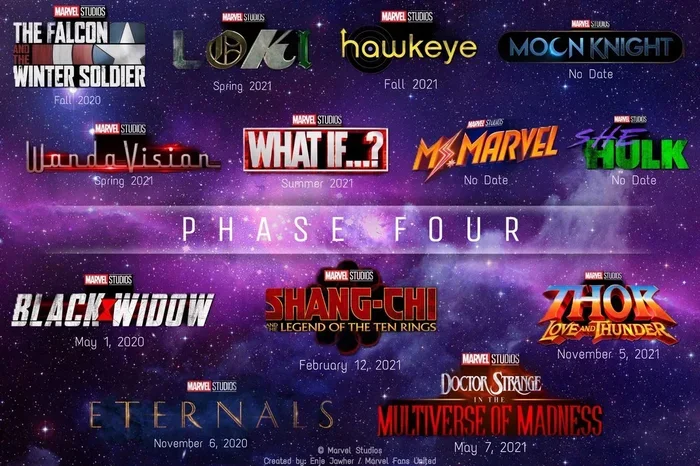
Visual guide about how to Upcoming TV series release calendar
Image source: pbs.twimg.com
Check network and studio calendars
Broadcast networks and major studios often maintain schedule pages or press release sections where new series appear. These pages can show you premiere dates, episode orders, and sometimes time slots. When you are trying to find upcoming TV series releases, this is one of the strongest places to start because the information comes directly from the people programming the season.
A good habit is to revisit these pages regularly during scheduling seasons. Networks sometimes adjust dates after sports events, holidays, or breaking news. If you only check once, you may miss a change. If you check consistently, you will notice patterns in how a network places new shows.
Look at streaming service release pages
Streaming platforms also publish information about what is coming next. Some services highlight upcoming titles on their home screens, while others maintain dedicated “coming soon” sections or blog announcements. These pages can be helpful when you want to see which series are entering the platform soon and how they will be released.
Keep in mind that streaming release styles vary. One service may list a premiere date for the first episode and then release the rest weekly. Another may announce an entire season drop. When you understand the release style, you can plan better and avoid confusion about whether a show is truly “available” yet.
Use official social accounts carefully
Official accounts can be useful for early announcements, behind-the-scenes updates, and schedule reminders. Many shows and platforms use these channels to announce premieres, renewal news, and special events. They are especially helpful when you want a quick signal that something is coming.
The key is to treat social posts as signals, not final records. A teaser may appear long before a confirmed date, and a posted schedule can change without immediate updates everywhere. Use social accounts to notice trends, then verify the details on a more stable page when you are ready to plan.
Step Two: Use Tracking Tools and Calendars
If you want to find upcoming TV series releases quickly, manual checking alone can become tiring. Tracking tools help you gather announcements in one place and reduce the chance that you miss a premiere. The best tools are the ones you will actually use, so choose a simple setup rather than a complicated one.
Pick a tracking method that fits your routine
Some people prefer a shared calendar. Others like a note app, a spreadsheet, or a dedicated tracking service. The right choice depends on how you like to organize information. If you want reminders, a calendar is useful. If you want a list you can sort and filter, a spreadsheet may work better. If you want a visual overview, a dashboard-style app may be easier.
The important part is consistency. A tracking system only helps if you return to it. Start with one method, keep it simple, and add features only if you need them. A crowded system can become hard to maintain, and then it stops helping you find new releases efficiently.
Add release dates as soon as they are confirmed
When a premiere date is announced, enter it right away if you can. Early entry gives you time to set reminders and compare the show with other releases on your list. It also helps you notice conflicts, such as multiple premieres on the same night or several new seasons arriving in the same week.
If a date is still tentative, mark it clearly. A label like “tentative,” “expected,” or “to be confirmed” can save you from confusion later. This is especially helpful when you are tracking several shows at once and want to separate firm dates from early estimates.
Set alerts for schedule changes
Release dates do not always stay fixed. A show may move to a different night, shift from one platform to another, or delay its first episode. Alerts can help you stay informed without checking every source every day. Depending on your tools, you might set notifications for official posts, calendar updates, or news mentions.
Try to limit alerts to the shows you truly care about. Too many notifications can become noise, and then important updates get lost. A focused alert system works better than trying to track everything.
Step Three: Follow the Seasonal Rhythm of New Shows
Television often follows a rhythm, and understanding that rhythm makes it easier to predict when upcoming TV series releases may appear. While every schedule is different, there are common windows when new series are more likely to be announced or positioned for launch.
Learn the difference between fall, midseason, and summer slots
Fall schedules often receive a lot of attention because they can set the tone for the television year. Midseason releases usually arrive after the initial fall lineup has settled, and they can be a strong time for new concepts or shows that need a different launch window. Summer releases may be smaller or more experimental, depending on the network and the audience.
Knowing these patterns helps you interpret announcements. If a show is mentioned during a fall presentation, it may be part of a larger seasonal push. If it appears later, it may be intended for a more specific slot. This context does not tell you everything, but it helps you understand why certain shows are released when they are.
Pay attention to renewal and ordering signals
A series order or renewal can change your tracking priorities. A show that gets a full season order may have a more defined release path than a project that is still in early development. Likewise, a pilot or limited series may have a different timeline than an ongoing drama or comedy.
When you read announcements, look for language that hints at the scale of the project. That can help you decide whether the show is likely to appear soon, whether it is still far from premiere, or whether it may shift categories as planning continues.
Step Four: Organize Your Watchlist So It Actually Helps
Tracking announcements is only useful if you can turn them into a plan. A messy list of shows can feel encouraging at first, but it quickly becomes hard to manage. A clean watchlist helps you see what matters most and when it is likely to arrive.
Group shows by platform and release style
One simple way to organize your list is to separate shows by where they will appear and how they will be released. For example, you might keep weekly cable shows in one group, streaming series in another, and limited events in a third. This makes it easier to compare expectations and avoid mixing up release styles.
This approach also helps when you are deciding what to watch first. If two shows premiere close together, you can see whether one is a weekly series and the other is a full-season drop. That difference can affect how you schedule your viewing.
Sort by date and priority
Release date is a natural sorting option, but priority matters too. Not every upcoming show deserves the same level of attention. You may want to mark a few series as high priority, a few as “watch if time allows,” and others as “keep on the list for now.” That way, your list becomes a planning tool instead of just a collection of titles.
When you sort by date, remember to leave room for changes. A show that looks far away today may move closer, and a near-term premiere may shift later. Flexible sorting helps you stay organized without becoming rigid.
Add notes that save you time later
Short notes can make your list much more useful. You might record the episode count, the expected release cadence, the type of show, or whether you want to watch it live, on demand, or after the season ends. These details may seem small, but they make decisions easier when your schedule gets busy.
For example, a note like “weekly, likely Friday” gives you more practical information than a title alone. Another note like “full season drop, watch in order” can help you decide whether to save it for a weekend or start earlier.
Step Five: Compare Release Timing Across Platforms
One of the most useful skills for finding upcoming TV series releases is learning how to compare timing across services. A title may appear on one platform on a certain date, while another service releases a different show in a completely different format. Understanding these differences helps you set realistic expectations.
Weekly releases versus full-season drops
Some series are designed to unfold week by week, which means the first episode matters as a starting point rather than the whole season being available at once. Other series arrive in a larger batch, which changes how quickly you can binge and how much time you need to set aside. Neither approach is better in every case. They simply create different viewing plans.
When you compare shows, think about your own schedule. If you have limited time, a weekly release may be easier to manage because it spreads viewing across several days. If you prefer longer viewing sessions, a full-season drop may suit you better. Knowing the release style in advance helps you choose what to watch when.
Live windows and on-demand availability
Some shows are tied to a specific broadcast window, while others become available on demand at a set time. That distinction can matter if you want to watch live, avoid spoilers, or join a discussion right after release. It also matters if your cable or streaming access varies by region or provider.
Before you plan around a premiere, check whether the show will be available immediately, whether there is a delay, and whether there are any access restrictions that could affect you. A few extra checks now can prevent disappointment later.
Step Six: Keep Your Information Clean and Current
A good tracking habit also includes maintenance. Over time, lists grow, dates shift, and some shows lose priority. If you do not clean up your notes, your system can become less useful. A quick review every so often helps you stay focused on what is still relevant.
Remove shows that no longer matter to you
Not every announced series will stay on your radar. Some may be delayed indefinitely, some may change direction, and some may simply no longer interest you. It is fine to remove them. A shorter, more honest list is usually more helpful than a long list full of maybes.
If you are unsure about a show, move it to a lower-priority section instead of deleting it. That keeps your main list clear while preserving the option to revisit it later.
Confirm major changes before making plans
If a premiere date matters to your schedule, confirm it before you commit time to watching. Schedule changes are common enough that it is worth double-checking when a show is especially important to you. A quick look at the official page or a trusted announcement can save you from showing up too early or missing a shift entirely.
This is especially useful during busy television seasons, when several shows may be adjusting dates at once. A small verification habit keeps your planning realistic.
Troubleshooting: What To Do When the Dates Are Confusing
Even with a good system, you will sometimes run into unclear information. A show may be announced without a firm date, a platform may use vague timing, or a schedule may shift before you have time to update your list. Here are a few practical ways to handle that.
When a premiere date is missing
If no exact date is available, focus on what is known. Note whether the show is expected in a certain season, whether it is still in production, and whether the platform has offered any general timing guidance. That gives you a working estimate without forcing you to pretend the date is confirmed.
You can also set a reminder to check again later instead of trying to track every rumor. That keeps your attention on useful updates rather than speculation.
When two sources disagree
If one source says one date and another says something different, look for the more official or more recent statement. A platform page, network schedule, or direct announcement is usually more reliable than an informal mention. If the conflict remains unclear, treat the date as uncertain until you see a clearer update.
This is where your notes help. If you have already marked a date as tentative, a disagreement is less stressful because you expected some uncertainty.
When a show keeps getting delayed
Delays happen. If a show you care about keeps moving, check whether the issue is a schedule adjustment or a larger production problem. Then decide whether you want to keep it on your active list or shift it to a waiting list. There is no need to keep checking a show aggressively if the timeline is still unsettled.
A delayed show can still be worth tracking, but it may belong in a different part of your system until the path becomes clearer.
A Simple Weekly Routine for Tracking New Releases
If you want a routine that is easy to maintain, keep it short. A weekly check can be enough for many viewers. The point is not to spend hours researching. The point is to stay aware of what is coming and keep your list current.
A simple weekly routine might look like this:
- Review official pages: Check the platforms and networks you care about most.
- Update your list: Add confirmed dates, remove outdated entries, and mark uncertain items clearly.
- Check alerts: Look at notifications for the shows you flagged.
- Plan the next few weeks: Note any premieres that affect your schedule.
- Clean up: Move low-priority shows out of the way if your list is getting crowded.
This kind of routine works because it is repeatable. You do not need to memorize every announcement. You only need a dependable way to capture the ones that matter and revisit them when needed.
How to Make the Process Feel Less Overwhelming
Tracking upcoming TV series releases can become stressful if you try to follow everything. The best approach is to narrow your focus. Choose a few sources, a few tools, and a few shows that genuinely interest you. That makes the process lighter and more useful.
It also helps to remember that you do not need to catch every premiere. A good system is not about perfection. It is about reducing the chance that you miss the shows you wanted to watch and making it easier to plan when you do want to watch them.
If you keep your setup simple, your list will stay readable, your reminders will stay manageable, and your viewing plans will feel more intentional. That is usually better than trying to track every possible announcement across every platform.
Final Thoughts on Finding Upcoming TV Series Releases
Finding upcoming TV series releases quickly is less about chasing every announcement and more about building a routine that helps you notice the right ones. Start with reliable sources, use a tracking method that fits your habits, and organize your list so it supports your actual viewing plans. Add a little seasonal awareness, compare release styles across platforms, and check for changes when a premiere matters to your schedule.
If you do those things consistently, you will spend less time guessing and more time enjoying the shows you choose to watch. The process does not have to be complicated. It just needs to be clear enough to help you stay prepared.