
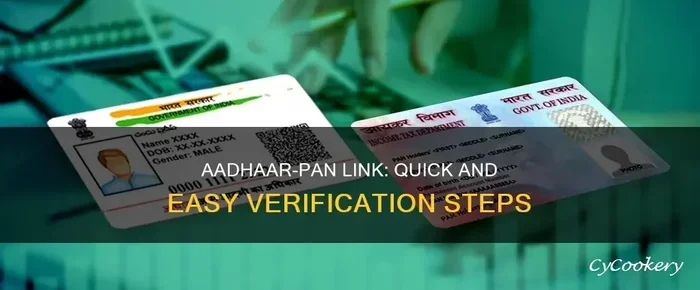
Checking your Aadhaar PAN link status is simple and essential for tax compliance. You can verify the connection online through the official Income Tax portal or the UIDAI website. This guide explains the exact steps to confirm your link and fix common issues quickly.
If you want to check Aadhaar PAN link status, you are in the right place. The government made it mandatory to link your Aadhaar number with your PAN card. This step helps the Income Tax Department track your financial records. It also stops fake PAN cards from entering the system. Many people still worry about whether their link is active. You do not need to visit any office. You can do it from your phone or laptop.
The process is fast and free. You only need your PAN card details and your Aadhaar number. You also need a mobile number that is registered with either service. Once you verify the link, you can file your tax returns without stress. This guide walks you through every step. You will learn how to check the status, fix errors, and stay compliant. Let us dive into the details.
Key Takeaways
- Online verification: Use the Income Tax e-filing portal to check your Aadhaar PAN link status instantly.
- Official websites only: Always use uidai.gov.in or incometax.gov.in to avoid phishing scams.
- Name matching: Ensure your name matches on both Aadhaar and PAN for successful linking.
- Mobile number: Keep your registered mobile number active for OTP verification during the process.
- Deadline awareness: Linking is mandatory for filing returns and avoiding tax notice penalties.
- Common errors: Mismatched names or outdated mobile numbers often cause linking failures.
- Quick fixes: Update details on the UIDAI portal and retry the linking process if errors occur.
📑 Table of Contents
Why You Must Check Aadhaar PAN Link Status
Linking your Aadhaar card with your PAN is not just a formality. It is a legal requirement under Indian tax law. The government wants to reduce tax fraud and duplicate identities. When you link both IDs, your financial data stays secure. You also avoid penalties during tax season.
Many people ignore this step until they get a notice. That notice can delay your refund or block your return filing. You can prevent this by checking your status early. A quick verification saves time and money. It also gives you peace of mind.
Avoid Tax Notices
The Income Tax Department sends notices when your PAN and Aadhaar are not linked. These notices ask you to complete the link within a deadline. If you miss the deadline, you may face penalties. You might also lose the ability to carry forward losses. Checking your status now keeps you ahead of these issues.
Ensure Smooth Tax Filing
A linked PAN makes tax filing smooth. Your return processes faster. Your refund reaches your bank account sooner. You also get a valid identity proof for various financial tasks. Banks and mutual fund companies often ask for this link. A quick check ensures you are ready for every financial step.
How to Check Aadhaar PAN Link Status Online
You can check Aadhaar PAN link status through two main channels. The first is the Income Tax e-filing portal. The second is the UIDAI website. Both methods are free and safe. You only need your basic details and an OTP.
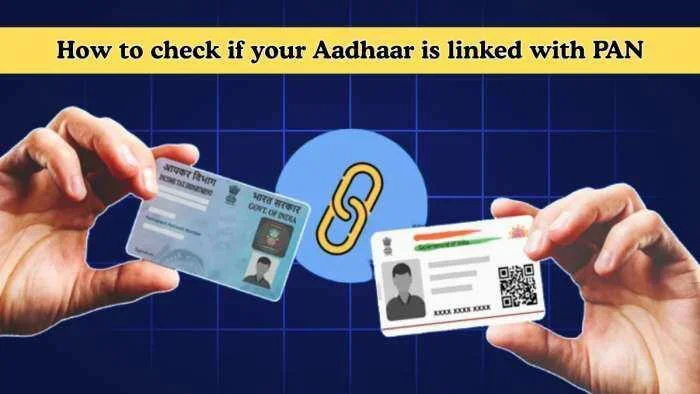
Visual guide about aadhaar pan link verification
Image source: img-s-msn-com.akamaized.net
The Income Tax portal is the most direct way. It shows whether your PAN is linked to Aadhaar. It also shows the date of linking. This method works best if you already have an e-filing account. If you do not, you can still use the UIDAI route.
Using the Income Tax e-Filing Portal
Follow these simple steps to verify your link:
- Visit the official Income Tax e-filing website.
- Click on the e-file menu and select Income Tax Return.
- Choose the link Aadhaar option from the dropdown.
- Enter your PAN number and Aadhaar number.
- Enter the captcha code shown on the screen.
- Click on the link Aadhaar button.
- Enter the OTP sent to your registered mobile number.
- Check the status message on the screen.
The system will show a success message if your link is active. You will also see the date when the link was created. If the link fails, the system will show an error code. You can use that code to fix the issue.
Using the UIDAI Website
You can also check your status through the UIDAI portal. This method works well if you do not have an e-filing account. Follow these steps:
- Go to the official UIDAI website.
- Find the Aadhaar services section.
- Select the check Aadhaar PAN link option.
- Enter your Aadhaar number and captcha.
- Enter the OTP sent to your mobile.
- View the linking status on the next page.
This method confirms whether your Aadhaar is linked to a PAN. It does not show the exact date. But it gives a clear yes or no answer. Both methods are reliable and secure.
Common Reasons Your Link May Fail
Sometimes the Aadhaar PAN linking process fails. This happens due to small mismatches or outdated details. You can fix these issues quickly once you know the cause. Here are the most common reasons:
- Name mismatch: Your name on PAN and Aadhaar must match closely. Even small spelling differences can cause failure.
- Date of birth mismatch: The system checks your birth date on both IDs. A wrong date will block the link.
- Mobile number not registered: You need a mobile number that is linked to Aadhaar or PAN. An unregistered number will not receive the OTP.
- Invalid PAN or Aadhaar: Typing errors in the number field will cause instant failure.
- System downtime: Sometimes the portal faces high traffic. A temporary error may appear during peak hours.
How to Fix Name Mismatch
Name mismatch is the most frequent issue. You should check both documents carefully. If your Aadhaar name is short and your PAN name is long, the system may reject it. In that case, update your Aadhaar name through the UIDAI portal. You can also update your PAN name through the NSDL or UTIITSL portal. Keep the names as similar as possible.
Update Your Mobile Number
Your mobile number must be active and registered. If you changed your number recently, update it on Aadhaar first. Visit a nearby Aadhaar enrollment center if online update is not possible. Once your new number is active, try the linking process again. This step solves most OTP-related failures.
Quick Tips to Secure Your Aadhaar PAN Link
You can make the process smoother with a few simple habits. These tips help you avoid errors and save time. Use this checklist before you start:
- Keep documents ready: Have your PAN card and Aadhaar number handy.
- Use a registered mobile: Ensure your phone can receive OTPs from UIDAI or the Income Tax portal.
- Check internet connection: A stable connection prevents form submission errors.
- Avoid public Wi-Fi: Use a private network to protect your personal data.
- Screenshot the result: Save the success message for future reference.
- Retry during low traffic: Early mornings or late evenings work best for portal access.
Expert Insight on Linking Timing
Many experts suggest linking your IDs as soon as you receive your PAN. Do not wait for the tax season. Early linking prevents last-minute rush and portal errors. It also gives you time to fix any mismatch. A proactive approach keeps your tax record clean.
What to Do After You Check Aadhaar PAN Link Status
Once you verify your status, take the next step based on the result. If your link is active, you are all set. You can file your returns and carry forward losses without worry. If your link failed, you must fix the issue and retry.
Start by identifying the error message. Match the error with the common causes listed above. Update your details where needed. Then return to the portal and try again. Keep your OTP ready and your internet stable. Most issues resolve in one or two attempts.
Track Your Linking Date
It helps to remember the date when your link was created. You can note it down or save a screenshot. This date matters during tax filing. Some portals ask for the linking date as proof. Having this information ready makes your filing faster.
Stay Updated with Policy Changes
Tax rules can change over time. The government may update linking requirements or deadlines. Keep an eye on official notifications from the Income Tax Department. You can also check the e-filing portal for announcements. Staying informed protects you from sudden compliance issues.
Key Takeaways
Here is a quick recap of what you learned:
- Check Aadhaar PAN link status using the Income Tax portal or UIDAI website.
- Name and date of birth must match on both documents.
- A registered mobile number is essential for OTP verification.
- Fix errors early to avoid tax notices and filing delays.
- Save a screenshot of your successful link for future use.
- Link your IDs early instead of waiting for tax season.
- Stay alert to official updates on linking rules and deadlines.
Final Thoughts on Checking Your Aadhaar PAN Link
Checking your Aadhaar PAN link status is a small step that brings big benefits. It keeps your tax record clean. It protects you from notices and penalties. It also makes your financial tasks smoother. The process takes only a few minutes. You do not need any special skills or tools.
Use the official portals and follow the steps carefully. Keep your details updated. Fix mismatches as soon as you find them. Once your link is active, you can focus on filing your returns with confidence. Take action today and stay compliant with ease.
Frequently Asked Questions
How can I check Aadhaar PAN link status online?
You can check your status on the Income Tax e-filing portal or the UIDAI website. Enter your PAN and Aadhaar numbers, then verify with an OTP. The system will show a success message or an error code.
Is linking Aadhaar with PAN mandatory for tax filing?
Yes, linking is mandatory for filing income tax returns in India. The government requires this link to prevent fraud and verify identity. You may face notices if your PAN and Aadhaar are not linked.
What should I do if my name does not match on PAN and Aadhaar?
Update the name on one of the documents to match the other. You can use the UIDAI portal to update your Aadhaar name. You can also update your PAN name through NSDL or UTIITSL. Keep the names as similar as possible.
Can I check the linking status without a registered mobile number?
No, you need a registered mobile number to receive the OTP. The OTP is required for verification on both the Income Tax and UIDAI portals. Update your mobile number on Aadhaar first if it is not registered.
How long does it take for the Aadhaar PAN link to reflect?
The link usually reflects immediately after successful verification. In some cases, it may take a few hours due to system processing. You can check the status again after a short wait if the update is delayed.
What errors can stop the Aadhaar PAN linking process?
Common errors include name mismatch, date of birth mismatch, and unregistered mobile numbers. Typing mistakes in the PAN or Aadhaar number also cause failure. Fix these details and retry the process to complete the link.