
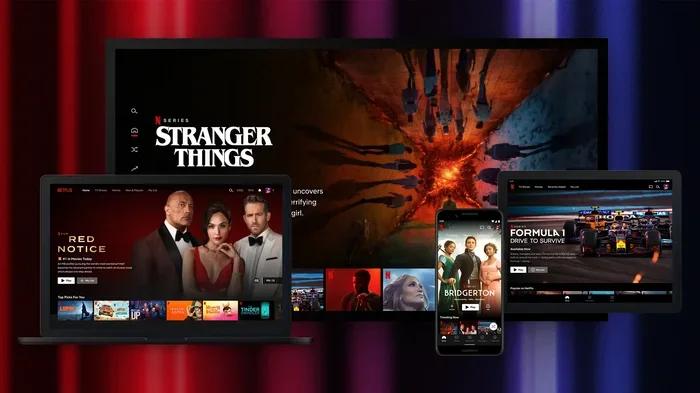
Featured image for how to streaming TV series on laptop
Image source: cdn.mos.cms.futurecdn.net
Want to watch the latest TV series episodes online without hassle? This guide shows you how to pick the right streaming service, set up your device, and enjoy new shows safely. You will also learn how to avoid scams and save money while staying up to date.
There is nothing quite like the feeling of catching a new episode of your favorite show right after it drops. You want to talk about the plot twist, see the latest character moment, and stay in the loop with your friends. The problem is that finding where a show lives online can feel confusing. One series might be on a subscription service, another might be free with ads, and a third might be tied to a cable login. In this guide, you will learn how to watch the latest TV series episodes in a simple, safe, and reliable way.
We will walk through the whole process step by step. You will learn how to figure out which platform has the show, how to choose the right plan, how to set up your devices, and how to make viewing easier. We will also cover what to do when a show is not available in your region and how to avoid risky websites that promise free access but deliver trouble. By the end, you should have a clear plan for keeping up with new episodes without wasting time or risking your privacy.
📑 Table of Contents
- Step 1: Find Out Where the Show Is Streaming
- Step 2: Choose the Right Viewing Option for Your Budget
- Step 3: Set Up Your Device for Smooth Viewing
- Step 4: Make It Easier to Keep Up With New Episodes
- Step 5: Handle Regional Limits and Availability Issues
- Step 6: Avoid Risky Sites and Play It Safe
- Troubleshooting: What to Do When Episodes Will Not Play
- A Simple Routine for Staying Current
- Conclusion
Step 1: Find Out Where the Show Is Streaming
The first step is the most important one. Before you start clicking around, find out which service actually has the latest episodes. This saves you from signing up for the wrong platform or wasting time on unreliable sites. Many shows are tied to a specific streaming home, and that home can change depending on your country.
Check the Show’s Official Page
Start with the official source. If the show has a network page, production page, or verified social account, that is a good place to look. These sources often mention where new episodes are available. You may also find release dates, episode guides, and links to the correct app. If you are unsure, look for the platform name listed alongside the show title.
Use a Streaming Search Tool
A streaming search tool can help you compare services quickly. You type in the show name, and the tool tells you which platforms carry it. This is useful because the same show may appear in different places in different regions. If a show is listed as available only with a subscription, you will know right away that a free unofficial site is not the best route.
Look at the Episode Release Pattern
Some shows release weekly, while others drop full seasons at once. Knowing the release pattern helps you plan. If episodes come out weekly, you may need a subscription that stays active for several weeks. If a season arrives all at once, you might only need short-term access. Understanding the schedule also helps you avoid confusion when an episode is not available yet.
Step 2: Choose the Right Viewing Option for Your Budget
Once you know where the show is hosted, think about how you want to pay, if at all. Not every service costs the same, and not every show requires a paid subscription. The best choice depends on how often you watch, how many shows you follow, and how much convenience matters to you.

Visual guide about how to streaming TV series on laptop
Image source: cordbusters.co.uk
Subscription Services
Subscription platforms are the most common way to watch new episodes. They usually offer a stable experience, official apps, and reliable updates. The tradeoff is the monthly cost. If you only want one show, check whether the service offers a cheaper plan with ads or a short-term option. If you already pay for a service, you may already have access without extra cost.
Ad-Supported and Free Options
Some platforms let you watch with ads at no monthly cost, while others include a free tier with limited features. This can be a good choice if you want to keep spending low. The downside is that ads can interrupt the episode, and some shows may not be included in the free tier. Always check whether the latest episodes are part of the free offering or reserved for paid users.
Bundles, Trials, and Shared Plans
If you are trying to watch a single show, look for a trial period if the platform offers one. A trial can give you temporary access without a long commitment. Some services also bundle multiple apps together, which may be useful if you and your household watch different shows. If you share a plan with family or friends, make sure everyone understands the rules and storage limits for profiles and downloads.
Step 3: Set Up Your Device for Smooth Viewing
After you choose a platform, the next step is making sure your device is ready. A good setup makes a big difference in quality and convenience. You do not need a complicated setup, but a few simple checks can prevent buffering, app crashes, and frustration later.
Pick the Right Screen
You can watch on a phone, tablet, laptop, smart TV, or streaming stick. The best choice depends on how you like to watch. A larger screen is better for long episodes and group viewing, while a phone is easier for catching a quick episode on the go. If you plan to watch regularly, a TV or computer setup may feel more comfortable.
Install the Official App
Whenever possible, use the official app from the platform. Official apps are more likely to receive updates, support new episodes quickly, and provide a stable playback experience. Download the app from a trusted store or the device’s approved app section. Avoid downloading unknown players or tools that claim to unlock content, because they may be unsafe.
Check Your Internet Connection
A stable connection matters more than speed alone. If your Wi-Fi signal is weak in the room where you watch, try moving the router, using a wired connection, or switching to a better spot in the house. If episodes keep pausing, lower the video quality setting temporarily while you troubleshoot. This can help you keep watching while you fix the connection issue.
Step 4: Make It Easier to Keep Up With New Episodes
Once everything is set up, the goal is to make watching feel effortless. The easier your system is to use, the more likely you are to stay current with the shows you love. Small habits can save you time and help you avoid missing an episode.
Turn On Release Reminders
Many platforms and show pages offer reminders or notifications. If available, enable them so you know when a new episode arrives. This is especially helpful for weekly shows, because release days can slip past you when life gets busy. A simple reminder can keep you from falling behind.
Use Your Profile and Watchlist
If the platform allows profiles, create one for your main viewing. This helps keep your progress, recommendations, and episode history organized. Add the show to your watchlist or favorites list if the app supports it. That way, you can find the next episode quickly instead of searching every time.
Schedule Viewing Time
If you watch weekly shows, it helps to set a regular time. You might watch right after work, during dinner, or on weekend mornings. A routine makes it easier to keep up without feeling like the show is taking over your schedule. If you prefer bingeing, set aside a block of time and make sure your device is charged or plugged in.
Step 5: Handle Regional Limits and Availability Issues
Sometimes a show is available, but not in every country. Licensing can affect where episodes appear and when. If you cannot find the latest episode in your location, do not assume the show is gone. It may simply be tied to a different platform abroad.
Confirm the Local Catalog
Before assuming there is a problem, check the version of the platform that serves your region. Some apps show different catalogs depending on location. If a show is missing, read the platform’s help information or search for the show title together with your country name. This can clarify whether the show is expected to appear locally.
Check the Release Date in Your Region
Even when a show is available globally, the release schedule may differ. A new episode might appear earlier in one country and later in another. If the episode is not live yet, it may just be waiting for the local release time. Patience is often the answer here, especially for internationally distributed series.
Consider Offline and Library Options
If streaming access is limited where you live, you may still have other legal options. Some viewers use digital rental or purchase options for certain shows, while others check whether a local library or educational service offers related content. These choices are not always available, but they can be worth looking into when a show is hard to stream.
Step 6: Avoid Risky Sites and Play It Safe
When a show is popular, you may see websites promising free access to the latest episodes. Some of these sites are tempting, especially if you want to avoid another subscription. Still, it is smart to be careful. Unofficial sources can create problems that are not worth the shortcut.
Watch for Warning Signs
Be cautious if a site asks you to download unusual software, disable security settings, or complete suspicious surveys before watching. Poor video quality, constant pop-ups, and broken links are also warning signs. If a site feels chaotic or unpredictable, it is usually better to leave and find a more reliable option.
Protect Your Device and Privacy
Stick to trusted apps and platforms whenever possible. Official services are less likely to expose you to malicious ads or unsafe files. If you do use a free ad-supported service, pay attention to what you click and avoid entering personal information unless you are sure the site is legitimate. A careful approach helps you enjoy shows without unnecessary risk.
Troubleshooting: What to Do When Episodes Will Not Play
Even when you choose a legal platform, technical problems can still happen. The good news is that most issues are fixable. Before assuming the show is unavailable, work through a few simple checks.
Episode Not Available Yet
If the episode is missing, check the release schedule first. Sometimes the show is still waiting for its official drop time. If the schedule says it should be live, refresh the app or browser and try again. If the problem continues, check whether the platform is experiencing a known outage or delay.
Buffering or Freezing
If playback keeps stopping, lower the video quality for a few minutes and see whether the episode plays more smoothly. Close other apps or devices that may be using bandwidth. If possible, restart your router or move closer to the Wi-Fi source. These small steps often solve temporary streaming issues.
App or Login Problems
If the app will not open or your account will not sign in, check your password and make sure your subscription is active. Update the app if an update is available. If the app still fails, uninstall and reinstall it, or try a different device. Sometimes the issue is with the app itself rather than the show.
A Simple Routine for Staying Current
If you want a straightforward way to keep up, build a small routine. First, pick the show and confirm where it streams. Next, choose the plan that fits your budget and viewing habits. Then set up your device, turn on reminders, and create a watchlist. Finally, keep an eye on release days and troubleshoot quickly if something goes wrong. This routine works for one show or several, and it keeps the process manageable.
The best part is that you do not need to overcomplicate things. A reliable setup, a little planning, and a preference for official sources will carry you a long way. You can enjoy new episodes without chasing unreliable links or stressing about where to look.
Conclusion
Learning how to watch the latest TV series episodes online is mostly about making smart choices and staying organized. Start by finding the right platform, then choose a plan that matches your budget and habits. Set up your device, use reminders, and keep your viewing routine simple. If a show is unavailable in your region, verify the local catalog before assuming it is gone. And when you run into technical trouble, a few basic checks usually solve the problem.
The goal is not just to watch one episode. It is to build a reliable way to enjoy new shows as they arrive. When you know where to look and how to set things up, keeping up with your favorite series becomes much easier.