
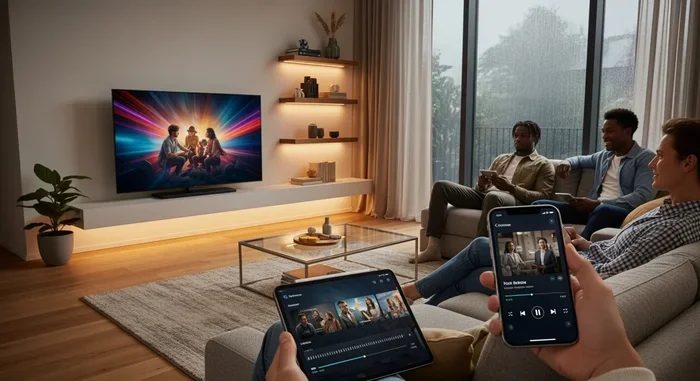
Featured image for how to American TV series streaming lifestyle
Image source: ndc.im
If you want to watch popular American TV series online without hassle, you need to choose the right streaming service, set up your device, and follow a few simple steps. This guide walks you through legal options, practical tips, and troubleshooting advice so you can start watching your favorite shows quickly and comfortably.
Watching American television has become easier than ever, but it can also feel confusing if you are not sure where to begin. There are so many services, apps, devices, and payment options that it is easy to lose track of what works best for you. The good news is that you do not need to be a tech expert to get started. You just need a clear plan.
In this guide, you will learn how to choose the right streaming option, set up your device, find the shows you want, and solve common problems when something does not work the way you expected. The goal is simple: help you watch popular American TV series online in a way that feels smooth, safe, and convenient.
You will also see practical tips for saving money, avoiding frustration, and making sure your favorite shows are actually available before you sign up for anything. If you have ever clicked around looking for one specific series only to end up with five different subscriptions, this guide will help you simplify that process.
📑 Table of Contents
- Step 1: Decide Which Shows You Want to Watch
- Step 2: Choose the Right Streaming Option
- Step 3: Check Where Your Favorite Series Are Available
- Step 4: Set Up Your Device for Smooth Viewing
- Step 5: Create an Account and Start Watching
- Step 6: Make the Viewing Experience Better
- Step 7: Solve Common Problems
- Extra Tips for Watching American TV Series Online
- Conclusion
Step 1: Decide Which Shows You Want to Watch
Before you pick a service, it helps to make a short list of the American TV series you actually want to see. This may sound obvious, but it can save you a lot of time. Different platforms often focus on different libraries, and not every popular show is available in one place.
Start by writing down the titles that matter most to you. You might want current hits, older classics, or a mix of both. If you already know a few must-watch series, you can use that list to narrow down your options. If you are still exploring, think about the genres you enjoy most, such as comedy, drama, crime, science fiction, or family-friendly storytelling.
Why your watchlist matters
A small list makes it easier to compare services without getting overwhelmed. Instead of asking, “Which platform has everything?” you can ask, “Which platform has the shows I care about right now?” That question is much easier to answer.
It also helps you avoid paying for a service just because it looks popular. If the platform does not have the series you want, it may not be the best choice for your first subscription.
How to organize your list
You can keep things simple by grouping your shows into three categories:
- Must-watch now: series you want to start immediately
- Watch later: shows you are interested in but not in a hurry to see
- Maybe: titles you would enjoy if they are included in a subscription you already plan to use
This kind of list gives you a clear starting point and makes the next steps much easier.
Step 2: Choose the Right Streaming Option
Once you know what you want to watch, the next step is choosing where to watch it. There are several ways to watch popular American TV series online, and each one has its own strengths. The best option depends on your budget, your device, and how many shows you want access to.

Visual guide about how to American TV series streaming lifestyle
Image source: viralglance.shop
Subscription streaming services
Paid streaming services are one of the most common choices. They usually offer large libraries of series, original programming, and on-demand viewing. Many also let you watch on more than one device, which is useful if you want to switch between a phone, tablet, or television.
When comparing paid services, look at these points:
- Whether the service includes the shows on your list
- How many devices can stream at the same time
- Whether the app works on your preferred device
- If the service includes ads or offers an ad-free plan
- How easy it is to cancel if you decide to stop
A subscription can be a good choice if you want a steady supply of content and do not want to keep searching for each show individually.
Free and ad-supported options
Not everyone wants to pay immediately, and that is completely understandable. Some platforms offer free viewing supported by advertisements. These services can be useful if you want to sample content or watch a show without adding another paid subscription.
Free services often work well for casual viewing, but they may have fewer titles, more ads, or a smaller selection of the newest episodes. Still, they can be a helpful part of your overall setup, especially when you are trying to keep costs down.
Live TV and cable-style services
Some people prefer services that include live channels or a more traditional TV-style experience. These options may be useful if you want to watch scheduled broadcasts, news, or sports alongside your favorite series. They can also be a fit if you like channel surfing or want a broader mix of content.
That said, these services are not always the simplest choice if your main goal is watching on-demand series. If you mostly want to binge or catch up on past episodes, a standard streaming app may be easier.
Rent or buy individual titles
Another option is to rent or purchase specific seasons or episodes through digital storefronts. This can be useful if you only want one show and do not want an ongoing subscription. It gives you more control, but it can also become expensive if you end up buying many titles.
This approach works best when you know exactly what you want and do not plan to explore much beyond that.
Step 3: Check Where Your Favorite Series Are Available
After you narrow down your options, it is time to confirm where each show is actually available. This step matters because streaming rights change often. A series that appears on one platform today may move somewhere else later.
You can save time by checking availability before you sign up. Search for the show on the platform’s app or website, or look at the service’s library listing if it is easy to browse. If you are unsure, it is worth double-checking, especially for newer releases or shows that have moved between services.
Watch for regional differences
Availability can vary by location. A show that is easy to find in one country may not be available in another. Since you are looking to watch popular American TV series online, it is smart to confirm that the platform you choose actually offers the series in your region.
If a service does not make availability clear, try searching the title directly instead of relying on general descriptions. That usually gives you a faster answer.
Be careful with assumptions
It is easy to assume that a popular show will be on a major platform, but that is not always true. Some series are spread across several services, and some older shows may be harder to find than expected. A quick check can prevent disappointment later.
Step 4: Set Up Your Device for Smooth Viewing
Once you have chosen a service, you need a device that can play the content comfortably. The good news is that many devices work well for streaming, so you probably already have something suitable.
Common devices you can use
You may be able to watch on:
- A smartphone
- A tablet
- A laptop or desktop computer
- A smart TV
- A streaming stick or similar media device
- A game console with streaming support
Each option has its own feel. A phone or tablet is portable and convenient. A laptop is useful when you want a bigger screen without setting up a TV. A smart TV or streaming device is often the most comfortable choice for long viewing sessions.
Make sure the app is available
Before you commit to a device, check whether the streaming service has an app or compatible browser experience for that device. Most popular services are widely supported, but it is still worth confirming, especially if you plan to use an older TV, an uncommon device, or a work computer.
If you are using a computer, a modern browser is usually enough. If you are using a TV or streaming device, install the app from the official app store for that device whenever possible.
Check your internet connection
A stable connection makes a big difference. If your internet is slow or inconsistent, you may experience buffering, lower video quality, or interrupted playback. For the best experience, use a reliable connection and try to stay close to your router if you are on Wi-Fi.
If possible, test the connection in the room where you plan to watch most often. That way, you will know whether the signal is strong enough before you settle in with a show.
Step 5: Create an Account and Start Watching
Now that your device is ready, you can set up your account and begin watching. The exact steps vary by service, but the process is usually straightforward.
Sign up carefully
When you create an account, enter your information accurately and choose the plan that fits your needs. If the service offers different tiers, compare them based on factors like ads, video quality, and the number of devices you can use.
If you are trying a free trial, pay attention to the trial length and the cancellation terms. It is easy to forget when a trial ends, so set a reminder if you do not want to be charged unexpectedly.
Log in and explore the interface
After signing in, take a few minutes to look around. Find the search bar, the library or homepage, and any features that help you organize content. Many services let you save titles to a list, which can make it easier to return to shows later.
If the platform has recommendations, you can use them to discover new series, but do not feel pressured to follow every suggestion. Your own list from the beginning of this guide is still one of the best tools you have.
Start with one show
A good way to begin is to pick one series and start there. This keeps the process simple and helps you get used to the playback controls, episode navigation, and app features without feeling overwhelmed.
Once you know how the service works, it becomes much easier to explore other shows.
Step 6: Make the Viewing Experience Better
After you start watching, a few small adjustments can improve the experience a lot. These tips are especially helpful if you plan to watch popular American TV series online regularly.
Use a comfortable setup
Choose a screen size and viewing distance that feel comfortable to you. If you are watching on a phone, consider using headphones or increasing the volume in a quiet space. If you are watching on a television, make sure the room lighting works well for you.
Comfort matters more than people expect. A setup that feels easy makes it more likely that you will enjoy the show instead of getting distracted by the device.
Manage playback settings
Many streaming apps let you adjust video quality, subtitles, captions, and audio settings. If the video looks blurry, check whether the app is using a lower quality setting to save bandwidth. If you need captions, turn them on before the episode begins so you do not have to pause and search for them later.
These small settings can make a big difference, especially if you watch for long periods.
Keep track of what you are watching
It is easy to lose track of where you left off, especially if you watch multiple series. Use the app’s continue-watching feature if it has one, or keep a simple note of the episode you finished last. That way, you can pick up right where you want to continue.
If you are following several shows at once, a basic list can help you remember which ones are active and which ones are on hold.
Step 7: Solve Common Problems
Even when everything is set up correctly, occasional issues can happen. Most of them are simple to fix. Here are some common problems and practical ways to handle them.
Video keeps buffering or freezing
If playback is interrupted, first check your internet connection. Try reloading the page or restarting the app. If you are on Wi-Fi, moving closer to the router may help. You can also lower the video quality if the service allows it.
If the problem continues, restarting the device is often a useful next step.
The app will not open or keeps crashing
If an app is not working, make sure it is updated. An outdated version can cause problems on some devices. If updating does not help, try closing and reopening the app, then signing out and back in.
On a computer, clearing the browser cache or trying a different browser may also solve the issue.
The show is not where you expected
Sometimes a series is no longer available in the place you thought it was. Licensing changes can remove titles from a platform or move them elsewhere. If that happens, search again carefully or check whether the show has moved to a different service.
This is one reason it is smart to confirm availability before starting a subscription.
Audio and video are out of sync
If the sound does not match the picture, try restarting playback first. If that does not work, check whether the issue happens on all shows or only one. A problem that appears everywhere may be related to the device or app, while a problem that appears in only one title may be limited to that file or stream.
If the issue continues, switching devices can help you figure out whether the problem is with the service or the hardware.
You forgot to cancel a trial
If you signed up for a free trial and do not want to continue, check the account settings as soon as possible. Many services let you cancel from the account menu. If you are unsure where to look, consult the service’s help section.
Setting a reminder before a trial begins can save you from this problem in the future.
Extra Tips for Watching American TV Series Online
Once you have the basics in place, a few habits can make the whole experience smoother.
First, do not sign up for every service at once. It is tempting to grab multiple subscriptions, but that can get expensive and hard to manage. Start with the platform that gives you access to the shows you want most.
Second, keep an eye on your watch habits. If you notice that you are paying for a service but not using it much, it may be time to pause or cancel it. Streaming works best when it fits your actual viewing patterns.
Third, use official apps and websites whenever possible. That helps reduce the risk of broken links, poor quality, or security problems. It also usually gives you a more reliable experience than random third-party sources.
Finally, remember that the best setup is the one that feels easy for you. Some people like browsing a large library. Others prefer a small set of shows they can return to again and again. There is no single right way to watch popular American TV series online, only the method that works best for your routine.
Conclusion
If you want to enjoy American television without stress, the process is really about making a few good choices. Start with the shows you actually want to watch, pick a service that fits those shows, and set up a device that gives you a comfortable viewing experience. From there, a little organization and a few simple troubleshooting habits can go a long way.
The best part is that you do not need to figure everything out at once. You can begin with one service, learn how it works, and adjust from there. Once you know where your favorite series live and how to play them smoothly, watching becomes much easier and more enjoyable.
With a clear list, the right platform, and a stable setup, you can settle in and focus on the shows instead of the technology. That is the real goal: making it simple to find, start, and keep watching the series you love.